
In any text field
Write rough. Send polished.
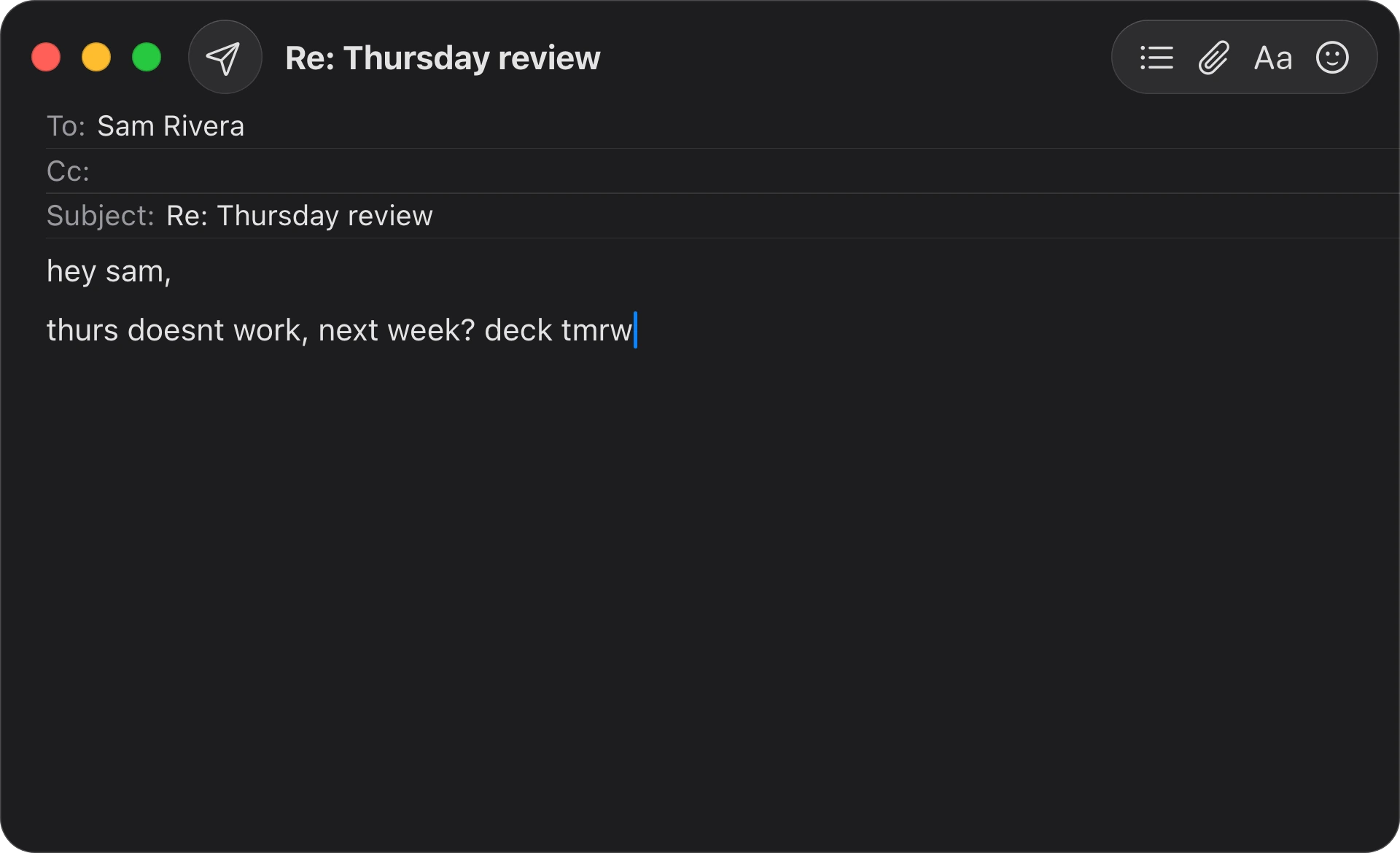
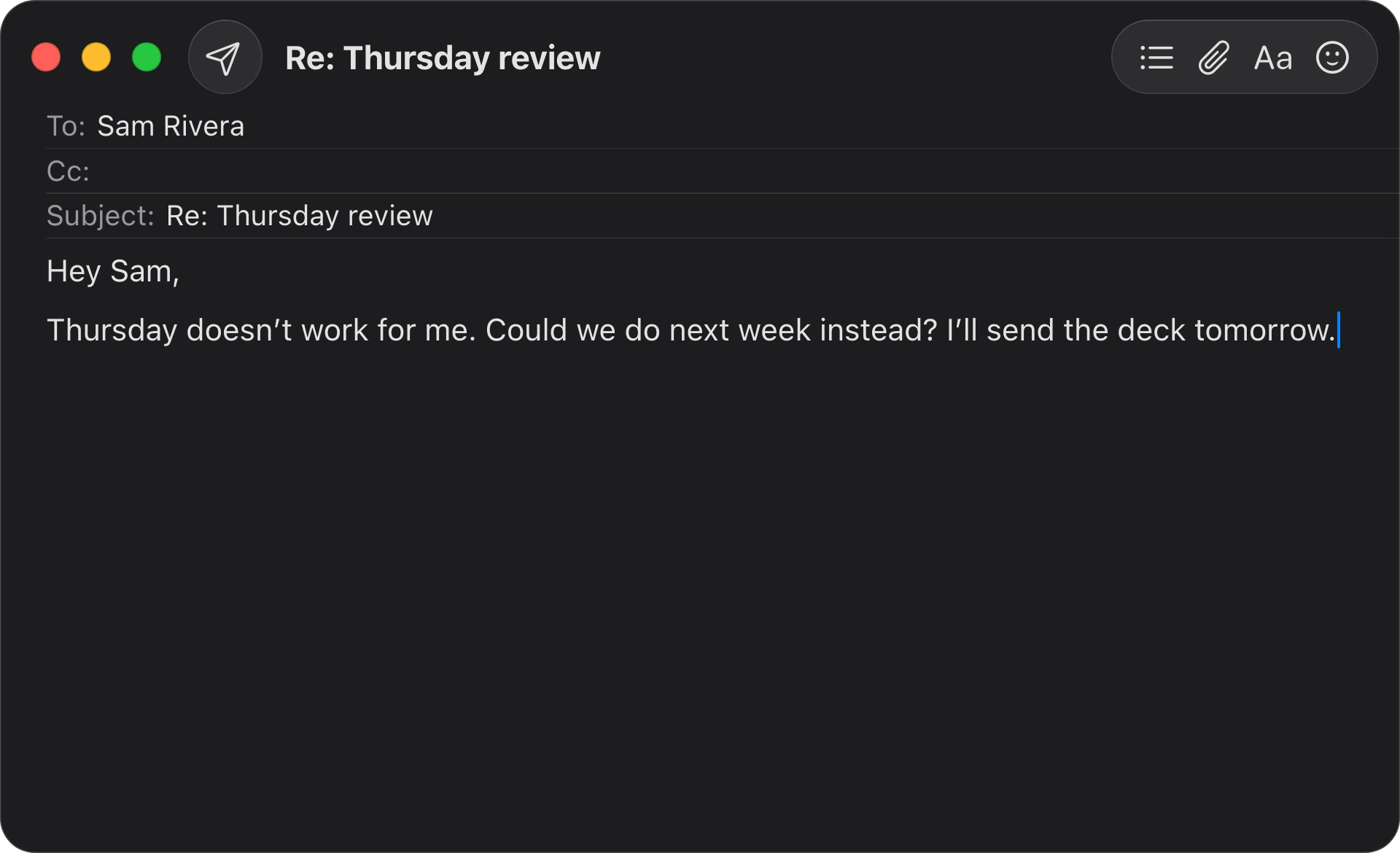
Select your draft and click Fix Grammar. The clean version replaces it, right where you wrote it.














Press ⌥Space in any app, say what you need, and get it back right where you were working.
In any text field
Select your draft and click Fix Grammar. The clean version replaces it, right where you wrote it.
In mail and chats
Type “Thursday at 2 works, ask for the agenda.” Fluent reads the thread and writes the reply for you.
Across apps and tabs
Attach the pages you're choosing between and ask which one. You get the costs side by side, and a pick.
In Finder
“Sort this folder into invoices, screenshots and installers.” Fluent moves every file where it belongs.
With Memory
Your refund policy, your sign-off, your preferences: say it once, and every later answer already knows.
With Computer Use
Where no integration reaches, Fluent works the app itself with a pointer of its own. Your mouse stays yours.
On a schedule
Ask for a daily brief once. Fluent schedules it, wakes your Mac and has it waiting when you open the lid.
“Long-time paid user.
I just want to say it once.
A must-have, must-have, must-have app.”
 isthat4, Reddit
“This looks awesome … a well-designed package! I appreciate that I can bring my own keys or run local models.”
 Chris Messina, #1 Product Hunter
“Stunning app, hands down the best of its kind.”
 Beo, Discord
“Vadim, you absolutely cooked with Fluent 2! I was worried the Siri AI update would make Fluent redundant but it’s not even up for discussion.”
 Sura, Discord
“…the app interaction is really polished and thoughtful, loving it.”
 dzigg, Discord
“Fluent is so light weight and efficient. It’s so seamless. It doesn’t distract it just enhances my work.”
 Iconic, Discord
“Became one of my favourite applications. You wouldn’t believe what a researcher can do with it. 😂”
 OUTCOME, Discord
“…Fluent, which is my current favorite Mac AI app.”
 DC, Discord
“FLuent does it all and more”
isthat4, Reddit
“Really impressed how Fluent lets you use AI writing tools in any macOS app, that's a pretty cool feature!”
 Joey Judd, Entrepreneur
“This looks awesome! I’m sad I didn’t find it earlier.”
 joytonin, Reddit
“…once you get going, start to make it your own, it becomes indispensable. … Highly recommended.”
 DeviousDroid, Reddit
“Fluent is getting better and better 🔥 … now it's one of the essential apps on my Mac machines.”
 Rakan-10, Reddit
“I bought this app when it was launched; I use it pretty much every day. Highly recommended.”
 Daniesto316, Reddit
“Purchased. That is all.
It usually takes me a couple weeks deliberation before purchasing any software, just saying...”
 cyansmoker, Reddit
“I use Fluent daily -- grammar correction, summaries, email/text responses. The Council models are impressive.”
 Mac_Allan30, Reddit
“It feels like you have an amazing base for a potential claw type system with deep Mac integration.”
 3iverson, Reddit
“I use it every day with local models, APIs, and NanoGPT. … It’s worth it!”
 Rude-Interaction-194, Reddit
“Fantastic app.
Thanks for offering an educational discount.”
 gfxd, Reddit
“In daily use, Fluent has proven to be one of the most capable system‑wide AI tools we’ve tested on macOS…”
 TheSweetBits, Fluent Review
“Fluent is great! Well worth the money if you can afford it.”
 AmazingVanish, Reddit
“great app, I like the app design and the landing page”
 josemarin18, Reddit
“wow this is really good, ui ux animations everything looks soo nice”
 m_zafar, Reddit
“Awesome! Great app. Really fantastic developments. I have swtiched over from Kerlig and am really enjoying it!”
 FuntimeBen, Reddit
“I f**kin love this thing! I absolutely love this thing! Keep the updates coming.”
 Prestigious_Can3329, Reddit
“Awesome app, use it daily with a Gemini key.”
 vassyz, Reddit
“…un des meilleurs assistants IA du marché.”
From French: “…one of the best AI assistants on the market.”
 VVMac, Le Blog
“Fluent looks like a powerhouse AI writing assistant for macOS … Perfect for boosting productivity and writing smarter.”
 Nader Ikladious, Entrepreneur
“Now my wife has a subscription, my friends have a subscription… I’m essentially evangelizing everyone 🙌”
Sura, Discord
Not a web wrapper. It opens in a blink, sips battery and runs many jobs side by side.
Add folders with thousands of files. Fluent finds the right page the moment a question needs it.
It suggests automations, builds and schedules them itself, and wakes your Mac to run them.
It picks up your preferences and your voice as you work, and uses them everywhere.
Selected text, tabs, files, the open folder: attached for you. No copy and paste.
Council has several models answer, review each other blind and settle on a verdict.
Run Apple Intelligence or local models on your Mac. History is encrypted on disk.
Sign in with ChatGPT, Claude, Copilot or Google AI. No API key, no second bill.
16 built-in integrations, 20,000+ MCP servers, and a pointer of its own for other apps.
Real-time dictation in any app, polished as you speak. In 40+ languages, all on your Mac.
New in Fluent 2
It notices what you're working on and offers a hand.

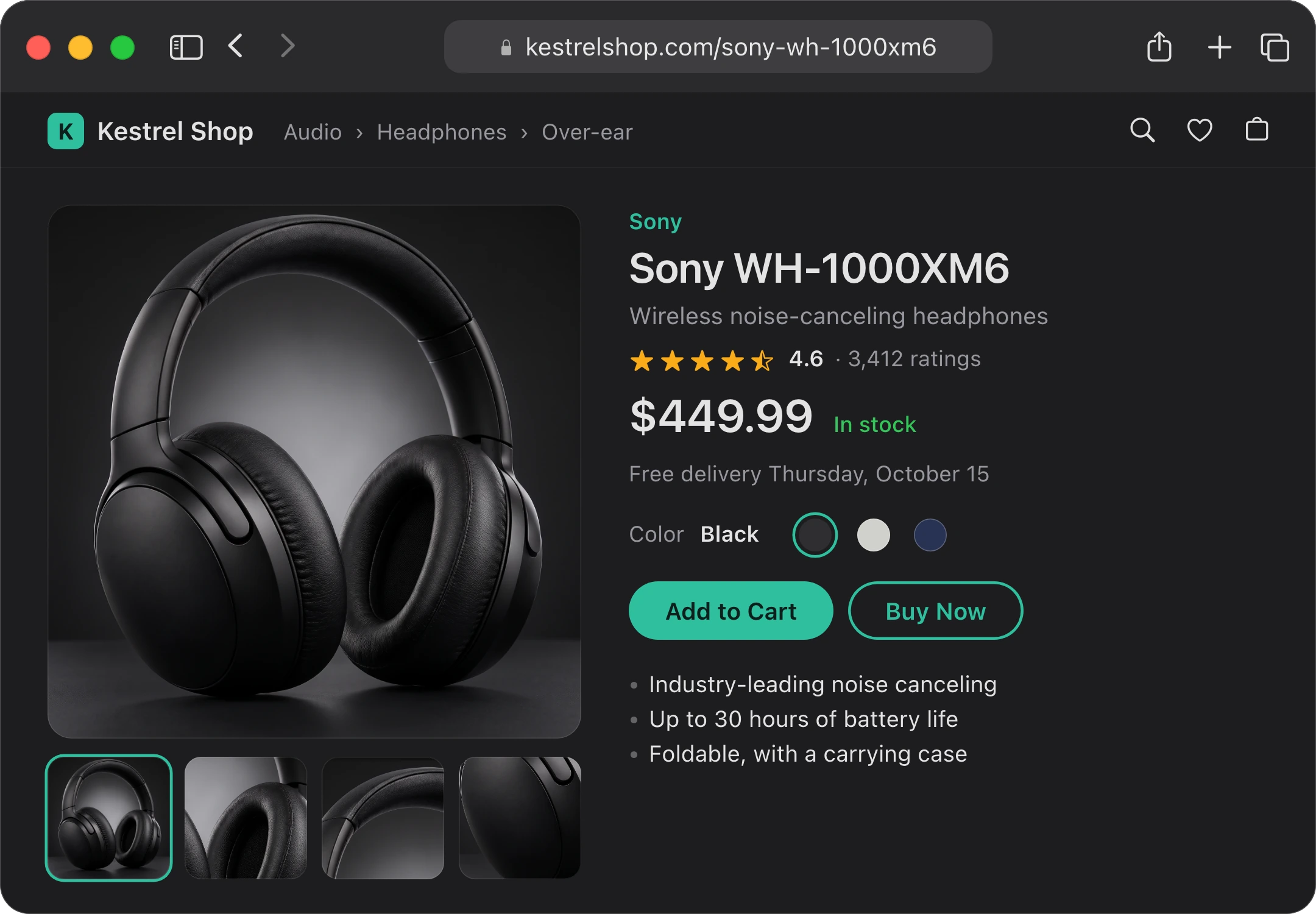
Is Sony WH-1000XM6 Worth It
The WH-1000XM6 is one of the best noise-canceling headphones you can buy. The problem is the price on your screen: $449.99 is the full launch price, and the XM6 has been out since mid-2025. If you can wait for a sale, or don't need the best noise canceling, you can get better value.
Alternatives to Sony WH-1000XM6
Price Scanner
| Kestrel Shop | $449.99 |
| Northwind Audio | $449.00 |
| Harbor Electronics, refurbished | $429.99 |
New, it's the same price everywhere today.
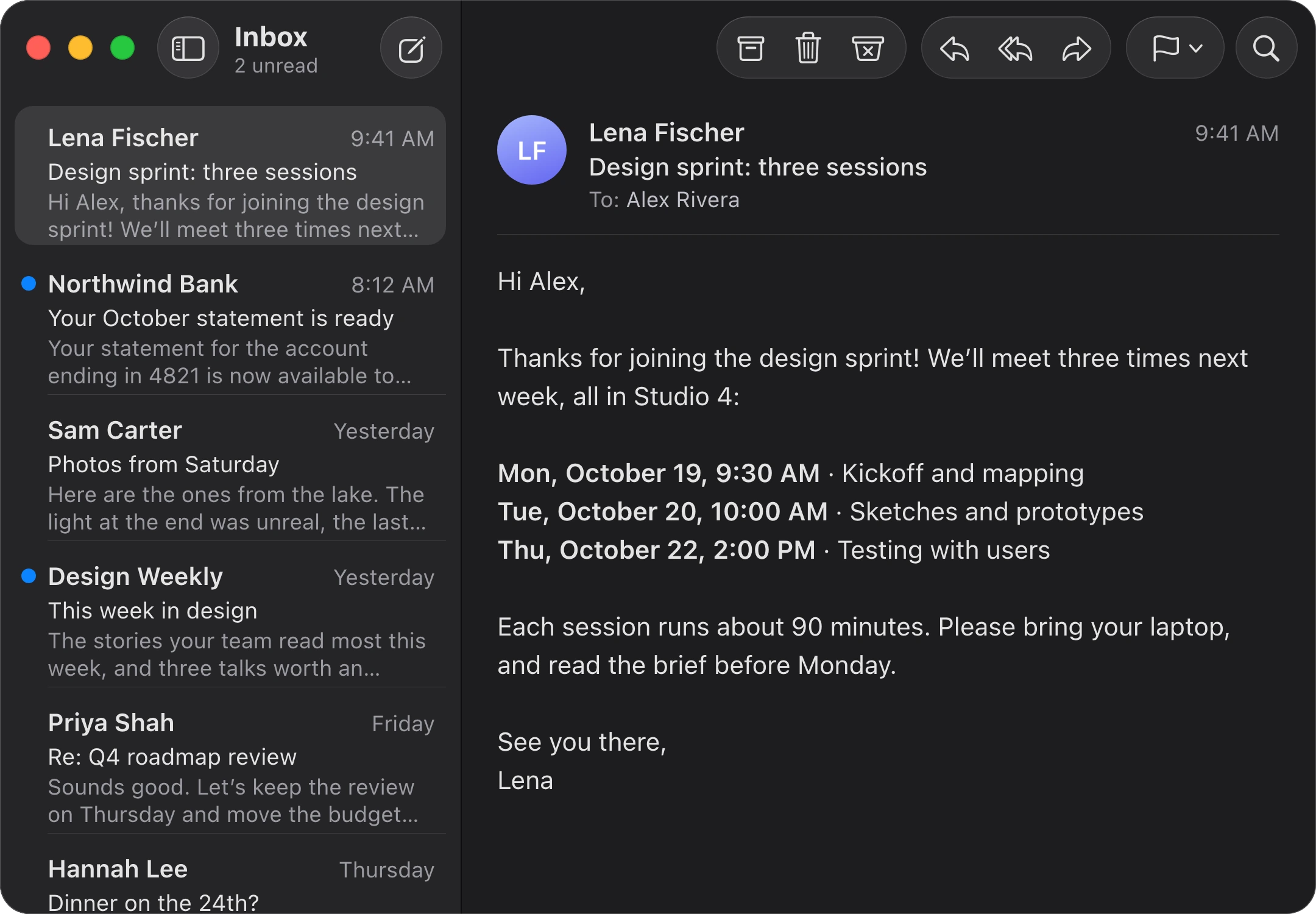
Add 3 Events to Calendar
Added three events to your calendar:
Each is 90 minutes, in Studio 4.
What Do I Need to Do
Reply About the Sprint
Hi Lena,
Thanks for the invite. I'll be at all three sessions, laptop in hand, and I'll read the brief before Monday.
See you in Studio 4,
Alex
Sounds more like you
Hey Sam,
Thursday doesn’t work for me. Could we do next week instead? I’ll send the deck tomorrow.
Based on your writing style in Memory



























 Ask Claude
your Claude plan
Ask Claude
your Claude plan
Sign in, no second bill
Pay only for what you use
Free, private, offline
 NanoGPT, our official partner: one key for hundreds of models, 10% off with Fluent
Prices in USD. Tax included. Secure payment via Stripe.
14-day moneyback guarantee without any questions.
Fluent is available for educational institutions, teachers and students at additional 30% discount. For inquiries, contact us at [email protected].
Frequently asked questions
A desktop pet with ideas for what's on your screen, Computer Use that works in your apps for you, Memory that learns you and your files, and the AI plan you already pay for in place of API keys. Actions can run on a schedule and wake your Mac to do it, replies show pictures, and Settings is rebuilt like System Settings.
Every change is in the changelog.
Fluent's main superpower is the Smart Panel. It is extremely fast & ergonomic. You can call the Smart Panel in any macOS app. Smart Panel captures relevant context (selection, clipboard or window content), and can run customizable actions with the AI provider of your choice.
You can also use Smart Panel as a standalone tool to chat with documents & pictures, or to prompt any AI model in seconds. For bigger jobs, Fluent works with your files, calendar and apps, plans the steps and can click and type in an app for you.
No. Sign in with the ChatGPT, Claude or GitHub Copilot plan you already pay for, through Codex, Claude Code or Copilot, or run Apple Intelligence and local models on your Mac for free.
API keys work too, and they're secure and very cheap: on average, users spend under $0.50-1.00 per month on general tasks like translation, grammar fix, summarization, etc. using OpenAI's models. Prices may vary depending on provider, model and usage patterns.
Open Settings → Models to sign in or add keys for OpenAI, Google, Anthropic, Grok, Mistral, Perplexity, OpenRouter or NanoGPT. Choose your default models with Model Defaults there, or give an action a model of its own.
Fluent does not collect, process or store telemetry and any of your data. Fluent does not operate cloud servers, except license verification one – which only verifies your license key in a fully encrypted manner. There is no user authentication via Email or any other kind of identifier by design, so the license server can only identify your machine, and nothing else.
Fluent stores your History locally fully encrypted. In addition, it stores the Memory you maintain locally unencrypted by design. Images generated with Fluent are stored locally unencrypted.
Please read more on Privacy Policy here.
Sign in with your AI plan through Codex (ChatGPT), Claude Code (Claude), GitHub Copilot or Antigravity (Google AI). Add API keys for OpenAI, Google, Anthropic, Grok, Mistral, Perplexity, OpenRouter or NanoGPT, or connect DeepSeek, Groq, Cerebras, Together AI, Fireworks AI, Moonshot AI, MiniMax, Alibaba Cloud, SiliconFlow, Nebius and any other OpenAI-compatible provider.
On your Mac, Fluent runs Apple Intelligence, local MLX models, Ollama and LM Studio. Ultimately, Fluent enables access to over 500+ models at once.
Yes. It’s a one‑time purchase. No subscription required.
Basic, Standard and Team come with lifetime upgrades. Basic is also available with 1 year of upgrades for $29: you get every version released in the 12 months after you buy. After that, Fluent keeps working forever, but newer versions are not included.
You can get lifetime upgrades for $39 at any time in the License Manager, or upgrade to Standard (2 Macs, lifetime upgrades) for $68.
Licenses are per‑Mac/seat: Basic covers 1 Mac, Standard covers 2 Macs, Team starts at 3 Macs.
Yes. Standard 14-day refund guarantee is applied, without any questions. Fluent also includes a 7-day free trial. If you need help with a purchase or refund, contact [email protected].
Yes! Fluent supports Apple Intelligence and any OpenAI-compatible providers such as Ollama or LM Studio.
On top of that, Fluent also natively supports local MLX models available to download straight away without additional tools.
You can configure local models and/or providers in Settings → Models.
Yes. Fluent has 16 built-in integrations (Finder, Calendar, Reminders, Notes, Web Search, Computer Use, YouTube, Maps and more) and a catalog of 20,000+ external MCP servers to connect to. Say “connect my Notion” and Fluent sets it up for you.
On top of that, Fluent allows creation of custom tools within all of its built-in integrations, providing better control and consistency of AI responses.
NanoGPT is a privacy-focused AI gateway – much like Fluent itself – that opens up hundreds of providers and models through a single connection. There's zero commission on top-ups, meaning what you pay is what you actually spend.
As an official partner, Fluent users get an exclusive 10% token discount on every model – including the latest ones from Anthropic, OpenAI and Google.
Just connect NanoGPT in Settings → Models and you can tap into any model right away.

























 Memory







 NanoGPT