
Fluent 2.2 brings a desktop pet: a little companion with ideas for whatever is on your screen, in beta. Settings has a new home too, laid out like System Settings with your actions inside it, and Ask Fluent, dictation and the file tools got a round of improvements and fixes.
Features
- A desktop pet. Turn it on in Settings → Pets and one of eleven characters stands on your desktop. When you come to an app or a page, it offers a few ideas for what's in front of you, like a shopping list for a recipe, whether a product is worth it, or a cover letter for a job posting. Point at the pet to see them any time, or ask it anything in its field.
- Answers right by the pet. The pet answers in a small window of its own, where you can keep asking, or carry on in the Smart Panel or the Chat UI. Drop files, text or links on it to ask about them, or hold it and speak (Hold to Talk, with dictation on in Voice settings). Its badge counts the actions that finished while you were away, and a click on the badge shows them.
- It keeps an eye out for you. As you read mail and chats, the pet can remind you later of what someone asked of you, offer to add the dates in a message to your calendar (with the Calendar integration on), and keep codes such as a booking reference in Memory. While you write a message, it can offer a rewrite in your own voice, learned from your writing in Memory, and Apply puts it in place of your draft.
- On your Mac by default. The pet reads windows and writes its ideas with Apple Intelligence on your Mac, which needs Apple silicon and macOS 26 with Apple Intelligence turned on. On other Macs, or for a language Apple Intelligence doesn't read, such as Russian or Ukrainian, pick another model in Settings → Pets; without one, the pet still offers its built-in ideas for the apps and sites it knows.
- Settings, rebuilt. Settings is now one window laid out like System Settings, with a sidebar, a search that finds any setting, and new sections for Appearance, Shortcuts, Actions, Chat UI and Pets. Your actions and their editor live in Settings → Actions instead of windows of their own, the Chat UI can have a font of its own, and the Smart Panel now follows the theme you choose in Appearance.
Improvements
- Fluent knows which app you're in. When your message brings nothing of its own, Fluent now tells the model which app or tab you're in: the app's name, or a tab's title and site, never what's on it. Asking to “summarize” a page you didn't attach now tells you how to attach it, and a how-to question gets the steps for the app in front. It's Include active app or tab in Settings → Context, on by default.
- Ask Fluent answers sooner. A spoken question now goes to the model the moment you stop talking, without waiting for a polish pass, and with the As dictated preset no polish model is loaded at all. Pick the model that answers in Settings → Voice → Ask Fluent model; the badge shows which model is working and when it's thinking, and “insert reply” shows the answer forming before it goes into your text.
- Quicker follow-ups on Claude Code. Claude Code no longer restarts in the background after a chat's first reply, so follow-ups start a second or two sooner.
- Memory. Learning shows its progress in the toolbar wherever you are in Memory, Learn Again… is in every group's menu, and an item can be moved to another group from its sheet. Learning again with What changed no longer learns the files whose text stayed the same.
Fixes
- Dictating on web pages. In some fields on web pages, such as Gmail's, whole phrases you dictated could go missing or arrive late. Every word now arrives as you speak, and the closing period too.
- Dictation commands. “Press enter” now waits for a short pause before sending, so “to log in press enter and then type…” no longer sends half a message. A command after “a” or “the” stays words, as in “a new line of shoes”, and “the first may be” no longer turns into a date.
- Dictating into Mail. Dictating into a message in Mail, or into an app slow to respond, opened Ask Fluent and answered your words as a question. Fluent now types them into the message.
- Accessibility permission. Fluent could be missing from the Accessibility list in System Settings, leaving no switch to turn on, so the dictation shortcut never worked. The permission buttons now put Fluent in the list, and Fluent warns you when it runs from the disk image, where the permission may not stick.
- Compressing and resizing files. Compressing could make a file larger and still call it compressed, and compressing a video into its own folder could delete the original. A result is now kept only when it's smaller, your originals are replaced only when you ask, a scaled-down video comes out smaller, and photos taken with the camera turned keep their orientation.
- Scripts that overwrite files. A script Fluent ran could overwrite a file without asking you. It now asks first, as everywhere else.
- Intel Macs. On Intel Macs, the plan's and Memory's orbs and the background of the Chat UI and onboarding were empty since 2.0. They now show.
- Quitting. Fluent could crash as it quit while a local model or Memory was still working. Nothing was lost, but it left a crash report; it now quits cleanly.
Compatibility
- Requires macOS 14.2 or later.
Replies can now show pictures, and a scheduled action can wake your Mac to run. File search, Computer Use and the Smart Panel's chats got a round of improvements and fixes too.
Features
- Pictures in replies. Ask for pictures of something, like “show me pictures of Kyoto's temples”, and the reply shows them in a row you can swipe or drag through. Click one to see it large and step through the rest with the arrow keys; right-click to copy or save it. Web Search finds the pictures, so it has to be on in Settings → Integrations.
- Pictures load on your terms. A picture shows by itself when Fluent's search found it, when it's the main picture of a page Fluent read, or when it's a file on your Mac. Any other web address waits for Load Image and shows the address first. Pictures are kept on your Mac for the chats that show them, and deleting a chat deletes its pictures.
- Wake Mac to run. A scheduled action can now run while your Mac sleeps: turn on Wake Mac to run under its schedule, and Fluent wakes the Mac shortly before each run and lets it sleep again afterwards. macOS needs your OK once, in System Settings → General → Login Items; the action editor takes you there. A closed MacBook on battery runs the action when you next open it or plug it in.
Improvements
- Finding files. The Finder integration now finds files and folders by any part of their name, in any case and any alphabet: asking for “skyrim” finds Skyrim-1.png and the folder Skyrim. A search no longer waits minutes on files kept only in iCloud, and one folder it can't open no longer fails the whole search.
- Computer Use and buttons that hide. When an app shows a button only while the pointer is over an item, Computer Use now goes through the item's right-click menu, where apps usually offer the same command, instead of giving up.
- Follow-up Tabs. In the Follow-up Tabs layout, replies now have the row with copy, regenerate, fork, the model and the time under them, and a question the model asks comes with its answer buttons, as in Chat Flow.
- More of Fluent in your language. The chat window's greeting and sidebar, the Smart Panel's shortcut sheet and tooltips, dictation's controls, menus and many Settings texts stayed in English whatever language you chose. They're now translated into all nine languages.
- Leaner requests. With integrations turned off, Claude Code, Codex and the other subscription models, and local models, are no longer sent instructions for tools they don't have. A subscription model also stops mentioning an integration as soon as you turn it off.
- Integrations in one order. The action editor, the “@” list in the prompt and the “+” menu now list integrations in the same order as Settings. The action editor's sidebar lists only what the action can use, instead of dimming the rest.
- Homebrew. Fluent can now be installed with
brew install --cask importnil/tap/fluent.
Fixes
- Smart Panel chats stay whole. Closing the panel with
Escor⌘Wwhile a reply was still coming split the chat into separate conversations in History, and a follow-up to a reply that finished while the panel was hidden could replace an earlier turn. Both now keep the conversation, and cancelling a reply and then closing the panel no longer loses the chat. - Memory in planned requests. When Fluent split a request into steps, a step that looked into Memory searched only your files and notes, never what Memory had learned from your chats: asked for the weather and your plans in one go, it found no plans. Such a step now searches all of Memory.
- Firefox tabs. Fluent now reads the Firefox tab in front while its own panel is the active window. For some, such as with a pinned Smart Panel, the tab's chip and the Tabs list never appeared. Settings → Context also says when browser context is missing the Accessibility permission.
- Computer Use on other keyboard layouts. Shortcuts that Computer Use presses now follow your keyboard layout. On AZERTY, Dvorak or QWERTZ it could press a different shortcut than it meant: on AZERTY, “select all” quit the app.
- Fix Grammar. Corrections are marked again when the model thinks before it answers. With thinking on, the corrected text came back without its marks.
- Quitting with a sheet open. With a sheet open, such as one in Settings, Fluent ignored Quit, macOS's “Quit & Reopen”, logging out and an update's restart. It now closes the sheet and quits.
- Scrolling. With a mouse connected, the Smart Panel's scroll bar no longer stands in from the panel's edge, next to the text. With Smooth mouse wheel scrolling on, a scroll no longer ends in a small jump at the top or bottom of a reply.
- Actions with their own model. An action set to a model whose API key is missing stopped with “API key is missing” even after you picked another model in the Smart Panel. It now runs with the model you picked.
- Shell commands. A command with a lot of output no longer hangs until its time limit and comes back as failed, and one that starts something in the background returns without waiting for it. After many commands, Fluent's tools could start failing; they no longer do.
- Crashes. Fixed a crash shortly after every launch when a custom schedule had a step of zero, such as
*/0, a crash when a model asked file search for a negative number of results, and a rare one while importing History.
Compatibility
- Requires macOS 14.2 or later.
Fluent can now do things in your Mac's apps for you while you keep working. And you choose how hard the model thinks, right from the prompt box.
Features
- Computer Use. Ask Fluent to do something in another app, like filling in a form from a document, and it does it there with a pointer of its own, so your mouse and keyboard stay yours. It's on by default and needs Accessibility permission; Screen Recording is only needed if you want it to take screenshots.
- Background browser control. Computer Use can also work in tabs you have open in Chrome, Edge, Brave, Arc, Helium and other Chromium browsers without bringing the browser to the front. Turn on Background browser control in Settings → Integrations → Computer Use, and follow the steps there to allow it in your browser.
- Thinking levels in the prompt box. Choose how much the model thinks before it answers, separately for each chat: pick a level from the new pill next to “+”, or press
⌥Tabto step through them. More thinking helps with hard questions; less answers faster. - All of your model's thinking levels. Each model now offers every level it supports, from Minimal through Max and Ultra, plus Auto, which leaves it to the model, and Off.
- Thinking levels for actions. An action can have its own thinking level, set in the action editor. Left on “Same as Settings”, it uses its model's level.
Improvements
- Thinking levels work with more models. Picking a level no longer makes some models fail with an error, such as older GPT and Claude models or Qwen on your own server: Fluent now uses the closest level the model accepts.
- Faster level changes with Claude Code. Switching a chat between two thinking levels, or running an action at another level beside it, no longer delays Claude Code's next answer by a few seconds.
- Lighter animations. The progress rings in the menu bar and the animated icons of running tools now use far less CPU.
Fixes
- Long tasks with subscriptions. With Claude Code, Codex, GitHub Copilot or Antigravity, a long task no longer stops after 3 minutes while the model is still working.
- Scheduled actions. An action that runs on a schedule no longer includes a tab or app you had attached in the prompt box.
- Long replies beside a scroll bar. With a mouse connected, the right edge of a long reply in the Smart Panel no longer slides under its scroll bar until you scroll.
Compatibility
- Requires macOS 14.2 or later.
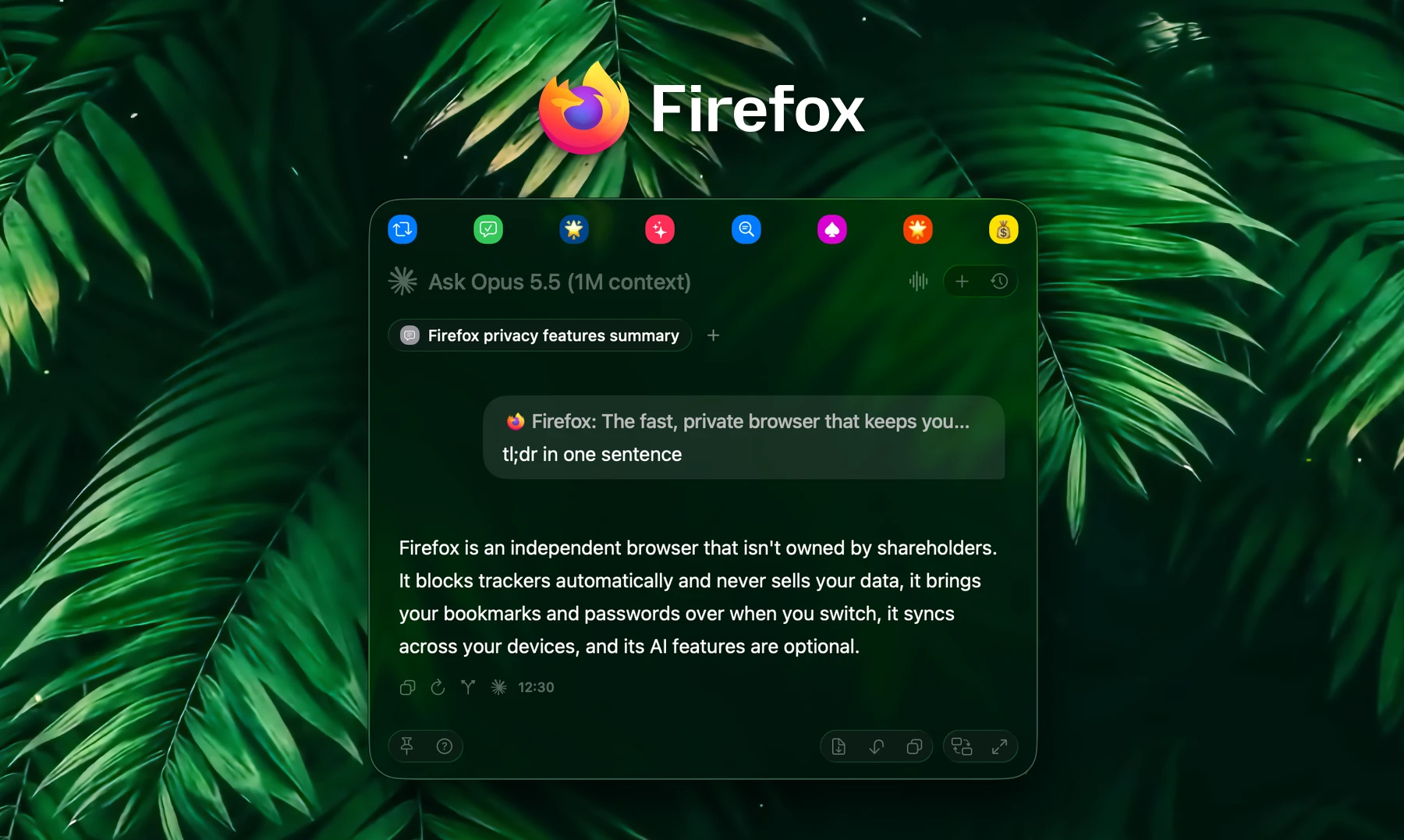
Fluent now works with Firefox and reads the page in front of you with no browser setup. Claude Code, Codex, Antigravity and GitHub Copilot get the same context and approvals as every other model, and this update fixes the crashes some of you ran into with 2.0.
Firefox and your browser
- Firefox support. Firefox, its Developer Edition and Nightly, Zen, LibreWolf and Waterfox now work like Safari and Chrome: Fluent picks up the tab in front, attaches it as context and reads the whole page. Click its chip to get back to that tab.
- No JavaScript setting needed. In Safari, Chrome and other Chromium browsers, Fluent now reads the tab in front even with “Allow JavaScript from Apple Events” turned off. Only tabs in the background still need it.
- Add to Memory remembers the page. Text you add to Memory from Safari or Firefox is now saved with the page's address.
Subscription models
- They know where you are. Claude Code, Codex, Antigravity and GitHub Copilot now get today's date and the folder open in Finder, like every other model, so “compress this image” from Finder just works.
- They ask first. Tools you've set to ask before running now wait for your Approve with these models too, and the Memory, Actions and Fluent tools that need approval work with them.
- PDFs. PDFs you attach are now read. Before, these models were told the file couldn't be opened.
- Council. These models now stay in your Council roster and presets after a restart, and every preset loads.
Improvements
- A smoother Smart Panel. No more lag after sending a question with a chip, resizes glide on a spring, an action run by its hotkey opens the panel in one step, and a first reply no longer jumps as it finishes.
- Actions as chips. An action run by its hotkey, from your favorites or on a schedule shows up as its chip, with its icon and color, from the moment it starts.
- Council presets. Fluent asks before a preset replaces a roster you haven't saved, keeps unsaved changes across restarts, and a duplicated preset no longer takes over your current roster.
- Image and video tools in Finder. Compressing and resizing images and compressing videos moved from Shell to the Finder integration, where models look for file tasks. Your settings for them moved too.
- Ready for macOS 27. No Siri button popping up in the prompt, no stray lines under the toolbar, and the same soft fade under bars on every macOS.
- Lighter. Fluent no longer holds on to memory after you drag the panel around or leave a chat while it's answering.
Fixes
- Crashes. Fixed a crash when opening the Smart Panel or the chat window on some Macs with macOS 27, random quits while a second copy of Chrome was running, and a crash in the action editor when an integration had the same name as a built-in one.
- “Generating…” no longer sticks in the Smart Panel's prompt after a reply, and voice prompts from Ask Fluent no longer run twice or without their page.
- API keys. Fluent no longer rewrites your API keys at every launch, which could erase one when two copies of Fluent started at once.
- Setup guide. Closing the setup guide no longer leaves your prompts without browser and app context or slows down action hotkeys.
- Chat titles. History, the menu bar and notifications show a title's chips instead of codes, and a question's chips no longer flicker as a chat opens.
Compatibility
- Requires macOS 14.2 or later.
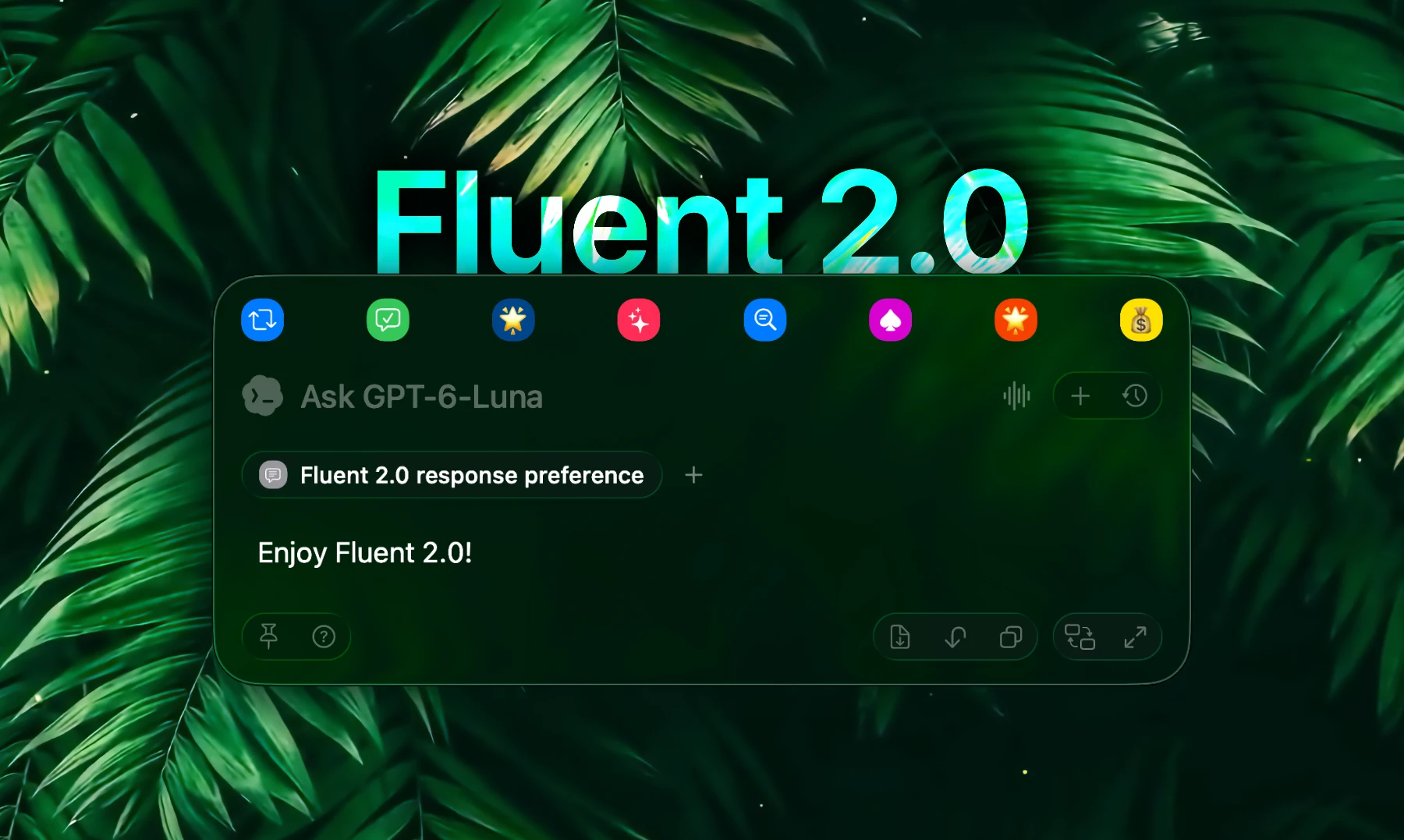
Fluent 2.0 is our biggest update yet. Memory is rebuilt from the ground up to learn about you and your files, three new built-in integrations let Fluent manage your actions, run code and change its own settings, and you can now use the AI subscription you already pay for.
Memory, rebuilt
Memory now learns from what you tell it and what you add, keeps itself up to date, and stores everything on your Mac. If Memory is off for you, turn it on in Settings → Integrations.
- Remembers what you tell it. Say “remember…” or “from now on…”, or just mention something in passing (“I'm vegan, any dinner ideas?”), and Fluent saves it, updates it when it changes and uses it when it matters. Each reply shows what it used or saved, and passwords, keys and card numbers are never saved.
- Learns your files. Add files and whole folders, and Fluent learns what each one is about, on your Mac with Apple Intelligence or with a Learning model you pick in Settings → Advanced → Memory. It follows your folders and learns again whenever a file changes.
- Add to Memory from anywhere. Right-click files or folders in Finder, or any selected text, and choose Add to Memory (turn on the Finder menu in Settings → Advanced → Memory). Or just ask in a chat: “add this to Taxes” with a document open, a page in your browser or files selected in Finder.
- Answers across a whole group. Ask for a total, a count or a breakdown (“how much did I spend on charging this year?”), and Fluent computes it exactly from every item instead of a sample. The same works for a folder, your calendar and web search results.
- Writes in your voice. Ask for a reply “the way I would”, and Fluent includes samples of your own writing, which it recognizes as it learns your items (requires Apple Intelligence).
- Memory graph. See your groups, files and saved details as a graph in Settings → Memory, link what belongs together, and zoom into any item to preview what's inside. Fluent links related memories for you too.
- Finds what you didn't name. Turn on the optional on-device relevance models (Settings → Advanced → Memory), and Fluent brings in the memories a request needs even when you don't name them, like an allergy when you ask for a dinner idea, and recalls related earlier chats.
New integrations: Fluent, Actions and Code
Three new built-in integrations, all on in Settings → Integrations.
- Fluent: change settings by asking. “Switch to dark mode”, “set my dictation shortcut to Control-Option-D”: Fluent changes its own settings from any chat, with Undo under the reply. Ask where something is, and Settings opens right at it.
- Fluent: connect anything. Say “connect my Notion” or “set up Groq”, and Fluent finds the best way to connect, signs you in through your browser and tests the connection. API keys go straight into the Keychain, never to the model.
- Fluent: questions and plans. Quizzes and choices come with answer buttons, and your pick is sent as your reply. Add Plan (type
@plan) to have any request planned. - Actions. Create, run and schedule your actions from any chat: “make me an action that turns meeting notes into a follow-up email”, “run my Morning Briefing”, “every weekday at 8:30”. Fluent picks the icon and color, and asks before it changes or deletes anything.
- Code. For work that spans several tools, Fluent writes a small script and runs it inside itself, calling your enabled tools, looping and computing exact results. Scripts are sandboxed, with no network or file access of their own.
More features
- Use the AI subscription you already pay for. Claude Code, Codex, Antigravity and GitHub Copilot now work as providers: no API key, no per-token bill. Install and sign in from Settings → Models → Subscription Providers, see how much of your plan you've used, and keep all of Fluent's tools and integrations.
- Agentic planning for everyone. Complex requests are split into steps that run in parallel. Planning is now on by default and decided within the request itself, so simple requests stay fast and cost nothing extra.
- 38 new assistant actions. Research a question, check a claim, plan your day, find focus time, total the expenses in a folder, compare quotes, practice a language and more, all in Actions.
Improvements
- A fresh Smart Panel. The Smart Panel gets grouped buttons, capsule tabs that show each chat's name and, on macOS 26, the chat window's rounder corners.
- Smooth, fast chats. Long chats scroll smoothly, and a mouse wheel now glides (Settings → Smart Panel → Smooth mouse wheel scrolling). Resizing, streaming and opening chats are much faster and lighter on your CPU.
- Chats name themselves. Each chat gets a short name from the model that answered it. Turn it off in Settings → History → Name chats automatically.
- Better-looking replies. Tables fit their columns and scroll sideways when they're wide, code and math sit in clean cards, and headings and lists are easier to scan.
- Faster, more dependable web search. Several search engines are asked at once, results come with real snippets, and pages are read as clean text, so one slow site no longer holds up your answer.
- Attachments stay with the chat. Tabs, apps and files you attach remain available for follow-up questions, and clicking a chip reopens its tab, app or file.
- Long chats cost less. Big tool results aren't sent again with every message, cloud models get a summary of older turns instead of losing them, and Anthropic requests use prompt caching. Reply details now show your cached input.
- Smart Panel that stays put. Remember panel width reopens the panel at the width you last dragged it to, you can drag the panel by its footer, and it centers and snaps on any display.
- More control over actions. Save to history keeps quick actions like a grammar fix out of History, Use integrations lets an action work with just your text, and the icon picker has every SF Symbol and emoji.
- Easier setup. A new welcome and model setup, with ready-made connections for Cerebras, Groq, DeepSeek, Together AI, Fireworks AI, Moonshot AI, SiliconFlow, Nebius, MiniMax, Alibaba Cloud, Ollama and LM Studio. Open it again from Settings → General → Onboarding.
- Local models. Models that read images now actually see them, and long conversations use less memory thanks to KV cache compression.
- Keyboard. In the chat window,
⌘Fsearches your chats andEsctakes you back to the prompt. - Lighter in the background. Fluent no longer uses CPU while you browse, and it asks to control your browser or Finder only when you use them with Fluent.
Fixes
- Regenerate in the Smart Panel. It now gives you a new answer and keeps it, and a favorite's answer is regenerated by that favorite.
- Background requests. With Keep requests running in background on, closing the Smart Panel no longer cancels your request.
- HyperKey shortcuts. Shortcuts recorded with a HyperKey now keep the whole combination.
- No more restarts. Hotkeys work as soon as you grant Accessibility, and Blacklist changes apply right away.
- Errors instead of empty replies. A provider error in the middle of an answer is now shown, and a brief hiccup at NanoGPT or another OpenAI-compatible provider is retried automatically.
- Documents in your browser. Fluent can now read PDFs and other documents open in your browser.
- GPT-6. GPT-6 models now work with tools and any temperature.
- Accurate costs and counts. NanoGPT shows what the whole answer cost, not just its last step, and custom providers now show token counts and speed.
- Model downloads. Downloads no longer finish with files missing, and deleting one model no longer restarts another's download.
- “As dictated”. It no longer keeps a polish model loaded in memory.
- Auto-insert actions. They no longer leave an empty tab in the Smart Panel.
- Stability. Fixed a crash when several requests started at the same time.
- Straico. Fluent no longer offers Straico, which has shut down.
Compatibility
- Requires macOS 14.2 or later.
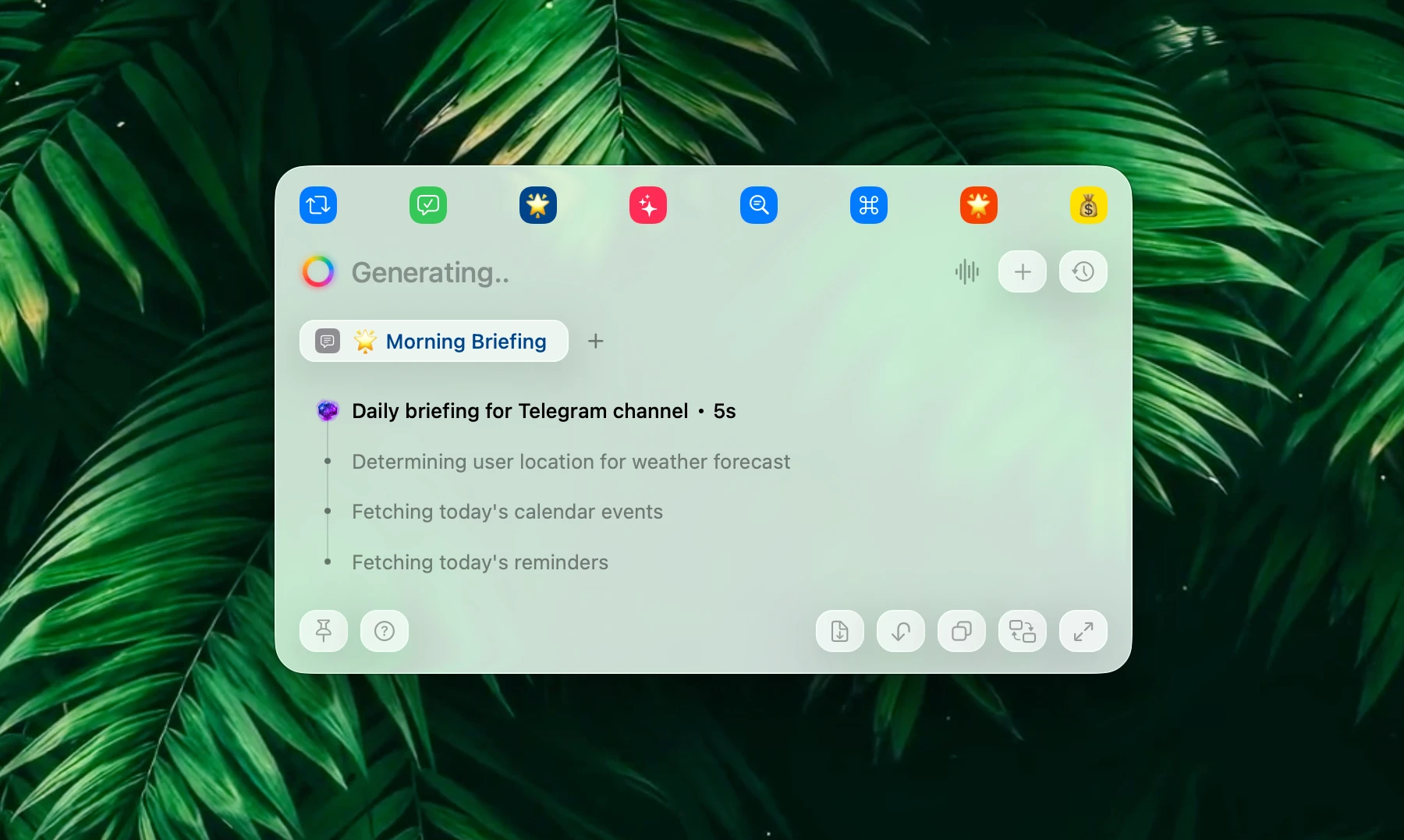
This update introduces new feature – Agentic planning, and delivers a major round of dictation stability fixes — especially for multilingual and cross-app live polishing.
Features
- Agentic planning. Fluent can now spawn multiple agents when working with a complex, multi-step request. It's transparent, doesn't require any manual trigger, and makes things a lot faster, with up to ~5× fewer tokens usage. Agentic planning enables smaller models to complete tasks they wouldn't do without agents before. This option is disabled by default, you can enable it under Advanced settings.
- Specialized punctuation models (optional). Voice dictation polisher is now supplied with two additional models – those are special punctuation models, trained specifically for this task. Aimed to increase accuracy when speaking languages other than English.
Improvements
- More reliable tool use and cleaner answers. Improved tool execution and response quality across both local and cloud models.
Fixes
- Thinking pause no longer splits sentences. A mid-sentence thinking pause no longer breaks dictation into two sentences. Polisher should still refine it.
- Live dictation polishing across apps. Polishing now works reliably across native, web, and Electron apps without unnecessarily repeated selection loops, stop-time rewrites or corruptions.
- Dictation stability (multilingual). Fixed freezes mid-sentence, dropped paragraph breaks, and garbled text — most visible with the multilingual model.
- Non-English first word + filler words. Dictation no longer drops the first word in non-English (multilingual), and filler words no longer reappear when you stop.
Compatibility
- Requires macOS 14.2 or later.
This update focuses on dictation reliability and correctness across languages and apps, plus fixes in the Chat UI and browser context capture.
Hot-fix
- Dictation typing in non-native apps. Dictation now types, as expected, directly into text fields in far more apps (including Firefox, Brave, VS Code, Slack, and Discord) instead of falling back to Ask Fluent.
Fixes
- Dictation language & regional spelling. Dictation now stays locked to your native language (including regional variants like English (UK)), and polisher attempts to follow your region’s spelling. Please note, that the outcome still depends on the polisher model quality.
- Auto-detect spoken language. As dictation is now locked to your native language, there is a new option under Voice settings, that allows you to "unlock" the language and let the multilingual models detect it automatically. Disabled by default.
- Regenerate button in Chat UI and Smart Panel chat flow mode. Regenerate (and
⌘R) now works in the chat window (with a new button on the last reply), and Smart Panel chat-flow regeneration now re-runs your last message while preserving the full transcript and replacing only the last answer. - Arc active tab attachment. The frontmost Arc tab now attaches automatically (and via
⌘`) like Safari/Chrome.
Compatibility
- Requires macOS 14.2 or later.
This update improves browser recognition for Brave Origin builds and makes real-time dictation polishing significantly more reliable across apps.
Improvements
- Dictation correctness. Several tweaks for punctuation and overall word correctness. Much better in this release, and the correctness ratio achieves 95% (varies on your language) in English-speaking tests.
- Dictation polishing: instant, non-garbled corrections. When the voice polisher revises text it already typed, Fluent now applies the change without a visible "rewind" in native macOS apps. It also improved in non-native apps.
Fixes
- Brave Origin browser support. Fluent now recognizes Brave Origin, Origin Beta, and Origin Nightly as separate apps (bundle IDs), so browser tab context and automation work correctly.
Compatibility
- Requires macOS 14.2 or later.
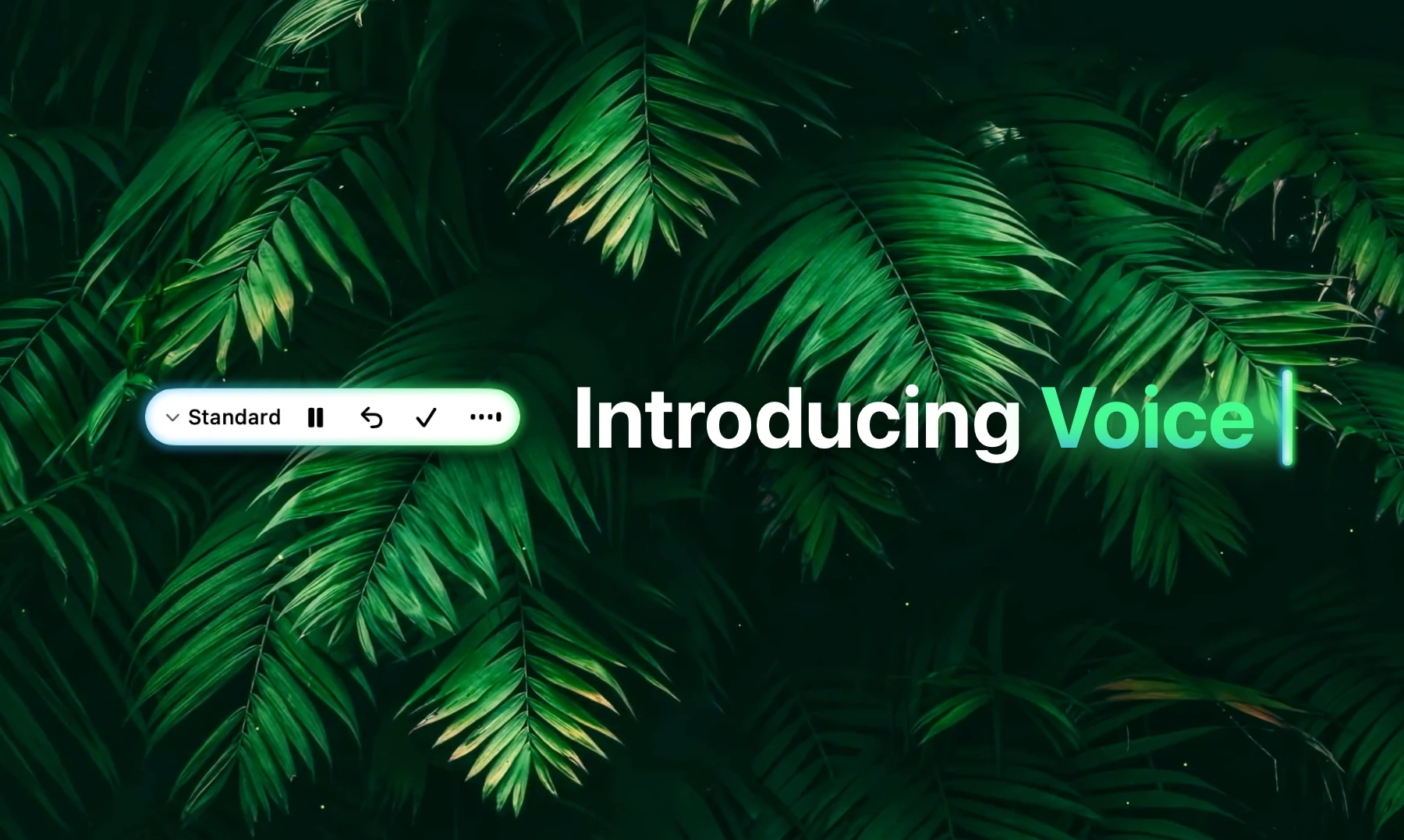
Fluent 1.10 introduces Voice features: a truly realtime dictation & polishing engine (100% local, on-device), and Ask Fluent mode, that allows you to call Fluent from anywhere, while dictating an interactive prompt.
Hot take: Fluent implements one of the fastest Nemotron 0.6B Multilingual (or English-only) engines – it's almost 4x faster than native Apple Speech dictation, while also delivering better quality, live polishing, custom presets, and snippets.
Features
- Real-time voice dictation (40+ languages). Configure your global "press-to-speak" shortcut and dictate as you speak in any app and text field, without interruptions and without a separate "buffering" window. Switch between input fields with ease and continue speaking – no need to enable dictation each time.
- Voice Snippets. Dictate and compose texts faster with configurable voice snippets that support basic formatting.
- Ask Fluent (beta). Speak your prompt and get the answer directly in the floating capsule. Use voice snippets for common voice prompts, and call any integration, variable or memory item just like in the Smart Panel and Chat UI – Fluent will intelligently attach it.
- Voice piloting. Added voice-driven control flows, including an action-generation status pill for Auto Insert actions that follows the mouse.
Improvements
- Chat history & search. History now goes further back with improved grouping (Last week / Earlier), faster and more consistent search, and better loading of older chats per day (including showing Past week when This week is empty).
- UI polish for dictation & Auto Insert. The Auto Insert action pill now matches the voice dictation badge (spinning loader, animated neon tail, no blinking dots), plus a new “snake tail” animation for the floating dictation badge.
- Better context capture for browsers. Fluent now recognizes nightly and beta browser builds everywhere it reads browser tabs and context.
- Smarter follow-ups with tools. Conversation now holds tool results (web searches, file reads, etc.) across follow-up messages.
- External MCP setup. External MCP configurations for HTTP servers now pre-fill in Fluent for faster setup.
- Council preset behavior. Clicking a Council preset in the preset menu now correctly restores its state.
- Acknowledgments. Added acknowledgments to open source packages and corresponding licenses in the About window.
Fixes
- Local speech models load reliably. Models whose files aren’t actually on disk (offloaded or incomplete) are now shown as needing download.
- Claude compatibility across providers. Latest Claude models (Opus 4.7+, Sonnet 5, Fable) fixes: no more “temperature is deprecated” errors, and reasoning correctly shows the Thinking badge.
- Smart Panel footer on older macOS. Fixed missing gradient mask in the Smart Panel footer on macOS Sequoia and older.
- Google API keys. Adding a Google API key now accepts new
AQkeys (not justAIza).
Compatibility
- Requires macOS 14.2 or later.
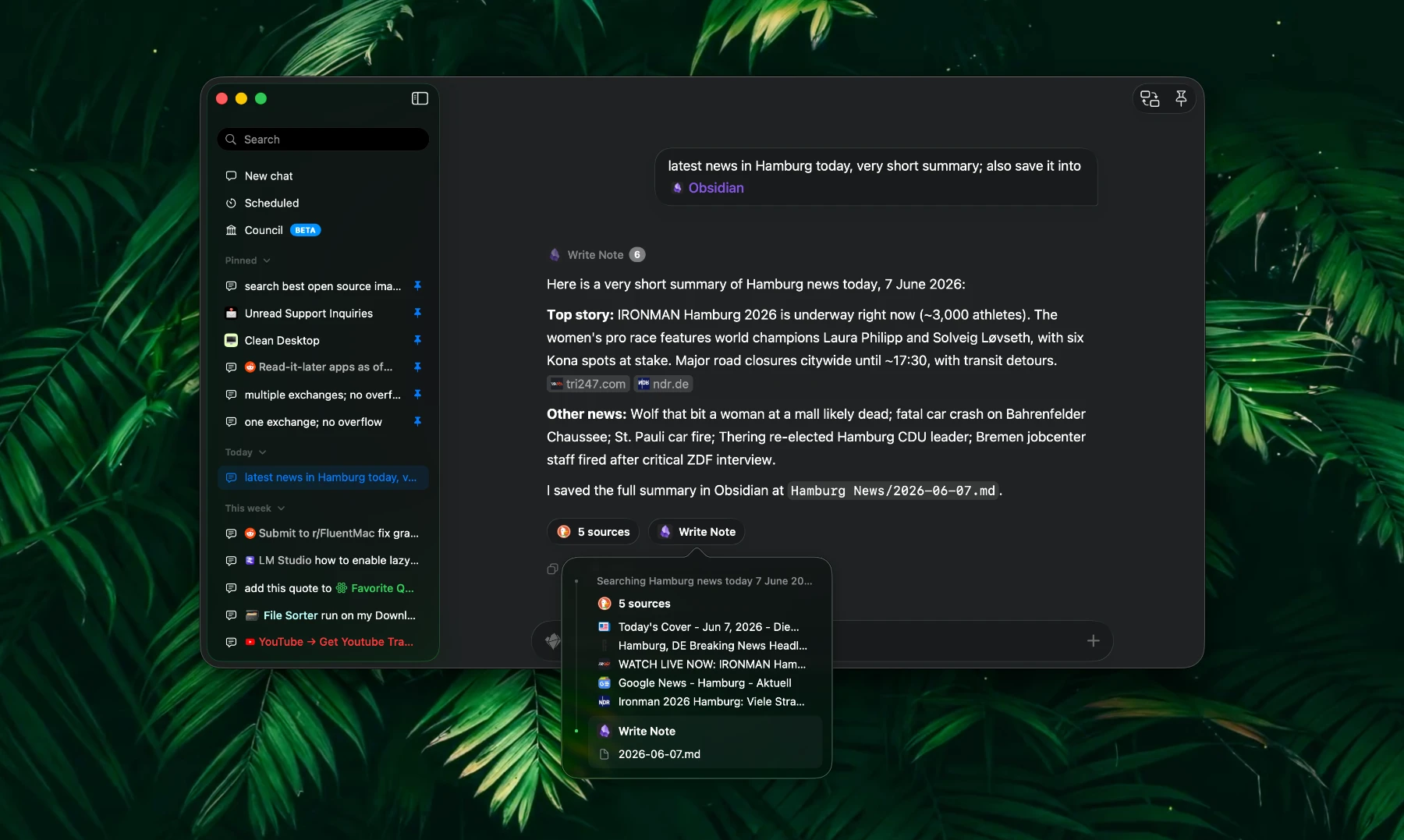
This update expands Fluent’s MCP workflow with Artifacts, adds citation support for Web Search and Web Fetch integrations, and includes a small but important copy behavior fix.
Features
- MCP Artifacts. Added support for MCP artifacts, enabling MCP tools to display small capsules under each request with the output of each important tool call (e.g. web search sources, events in calendar, note name written to Obsidian etc.). This feature is disabled by default. You can enable it under Advanced -> Experimental Features.
- Web Search / Web Fetch citations. Web search results can now include citations, making it easier to trace answers back to their sources.
Fixes
- Metadata blocks: Copy button. Fixed the Copy button to copy all available formats (instead of only a subset), improving paste fidelity across apps.
- Metadata blocks: display on hover. Fixed metadata blocks not appearing on hover in the Smart Panel Chat Flow mode.
Compatibility
- Requires macOS 14.2 or later.
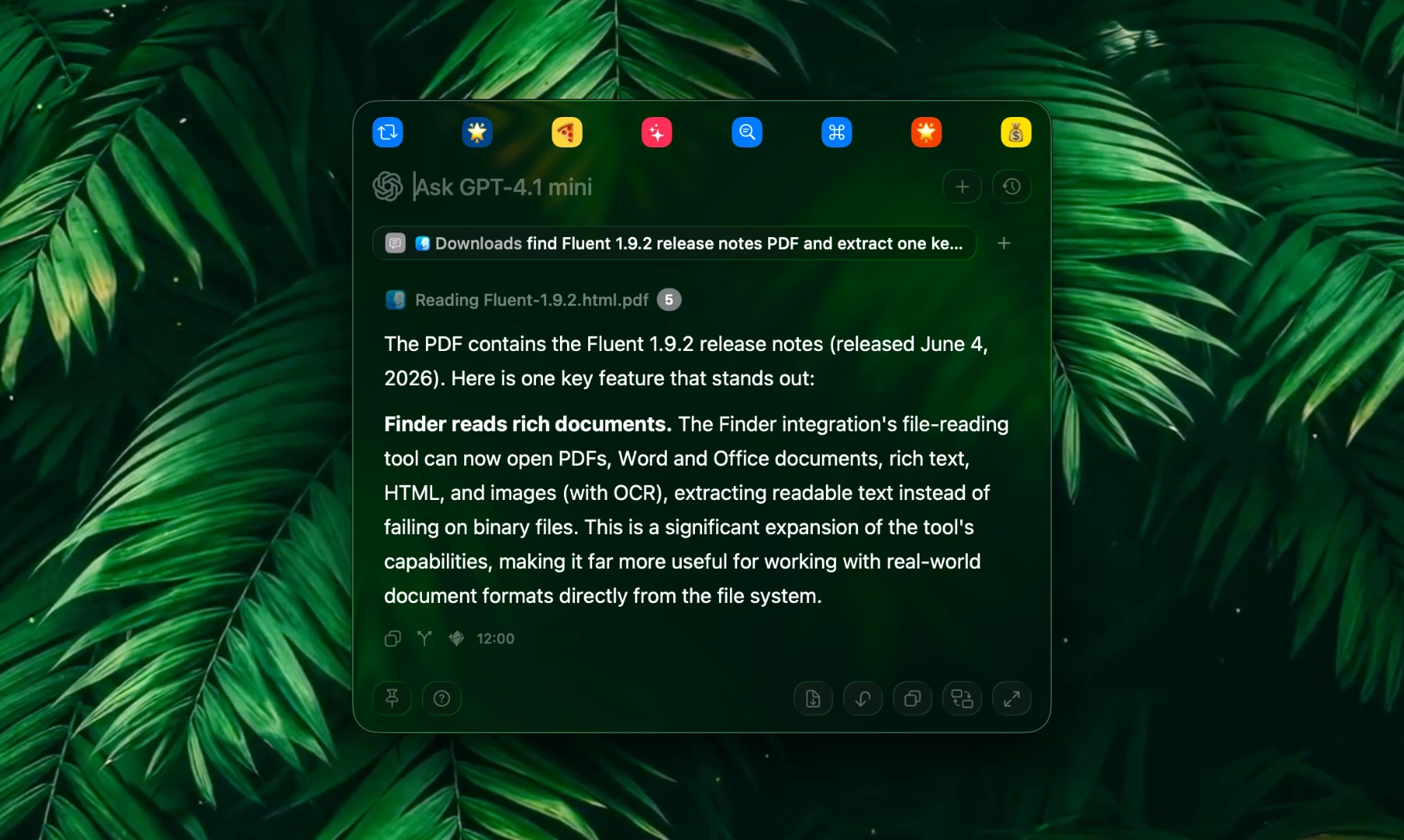
This stability & performance release widens language support and pours a round of polish into the Chat UI — smoother scrolling and streaming, faster web capture, much lighter memory & CPU use, and several fixes. The Finder integration can now also read PDFs, Office documents, and images.
Features
- Finder reads rich documents. 📄 The Finder integration's file-reading tool now opens PDFs, Word and Office documents, rich text, HTML, and images (with OCR), pulling readable text out instead of choking on binary files.
- Council completion notifications. 🏛 When a Council finishes, you get a notification with its name, success or failure, and a preview of the result. Tap it to jump straight into the Council in the Chat UI.
- Multi-select and batch delete in the Chat UI. Select several chats at once with
⌘-click(toggle) and⇧-click(range), then delete them together. Right-click a selected row, or just pressDelete, to clear the whole selection in one go.
Improvements
- More languages. ✨ 122 strings that used to show only in English are now translated across German, Spanish, French, Japanese, Korean, Portuguese (Brazil), Russian, Ukrainian, and Simplified Chinese.
- Smoother chats under load. 🔥 Streaming text, grammar corrections, reasoning boxes, and the rest of the transcript no longer fight the scroll animation or re-render finished messages on every token, so long conversations stay fluid even at high token rates.
- Snappier long scrolls. Jumping to a faraway message (like the top of a long chat) now snaps instantly instead of grinding through dozens of off-screen rows; short follow-up scrolls keep their smooth glide.
- Faster web capture. Pages pulled in with
@webrender much faster and stay responsive on long responses, instead of getting progressively slower as content grows. - Faster, lighter images. Generated images load faster and use far less memory, while right-click Copy Image still hands you the full original resolution.
- Council shows up when it's busy. Start a Council and switch apps, and a menu-bar badge tracks it like any chat, with a notification when it lands.
- Better window behavior across Spaces. Unpinning the chat window keeps it on your current Space instead of teleporting home, and pinning lets it float over full-screen apps.
- Lighter memory footprint. Lots of memory usage and CPU optimizations.
Fixes
- Notes MCP. Fixed note creation error when "default account" isn't explicitly specified.
- Tool output reliability. Tool use (especially invoked by smaller local models) no longer randomly fails with "No tool output found" errors; results from web search and other tools are captured reliably across all providers.
- Code block colors. Code blocks now use the correct text color in dark and light mode, instead of occasionally rendering light text on a light background.
- Council in the menu bar. Council conversations no longer clutter the Smart Panel history menu, and deleting a running or just-finished Council no longer leaves a stuck badge in the menu bar.
Compatibility
- Requires macOS 14.2 or later.
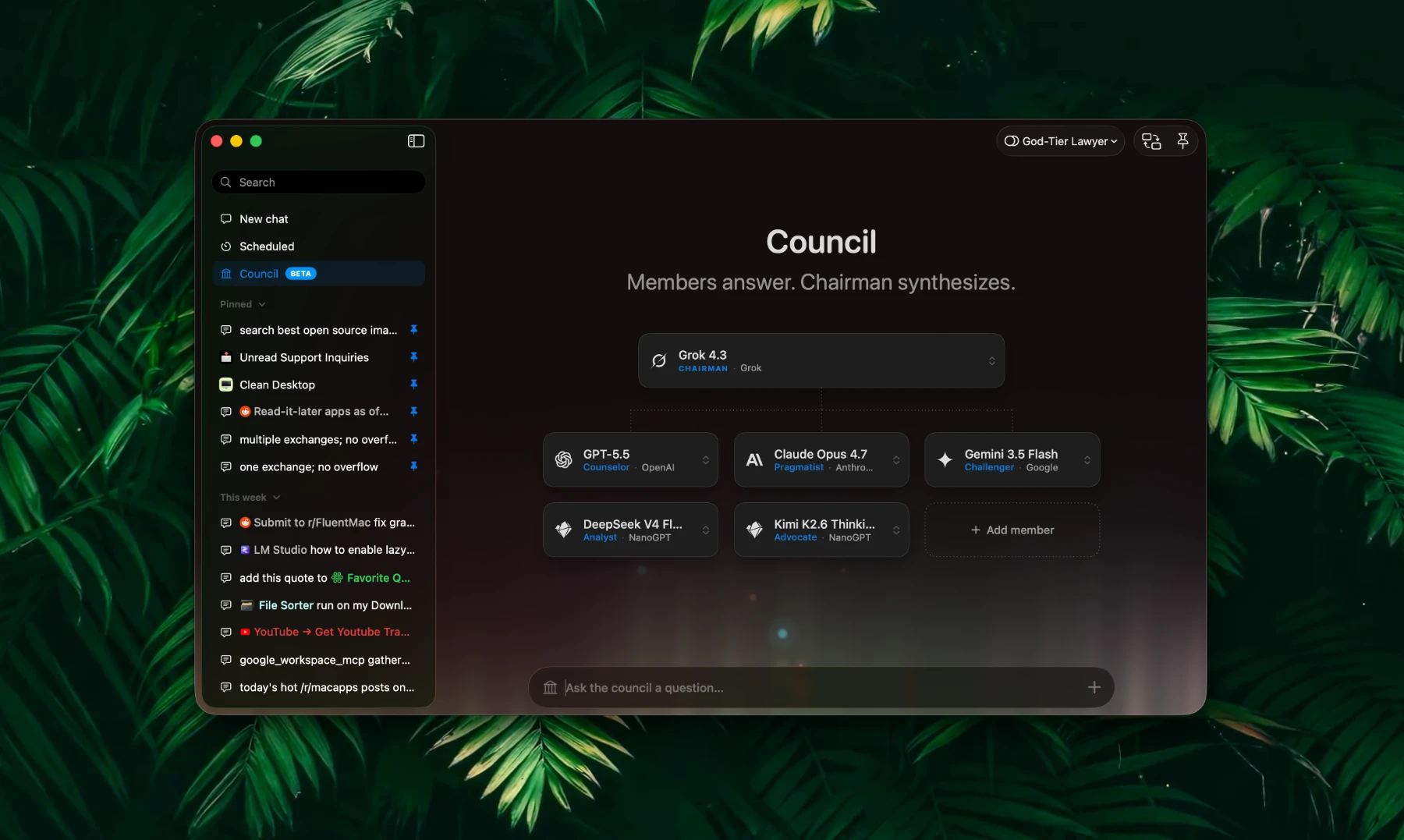
This release introduces Council — one of the most ambitious feature yet — alongside meaningful refinements across the chat surface and a round of stability fixes. We've also added a dedicated global shortcut for the Chat UI window.
Features
- Council. 🏛 Ask multiple AI models the same question in parallel, let them peer-review each other's answers, and have a designated chairman model synthesize a final response. Open the Council composer from Chat UI, pick up to ten members from any configured provider, choose a chairman, and optionally give each model its own custom instruction. Save your favourite configurations as Council Presets for one-click reuse. Watch every member stream their answer in real time and review the saved run as a single conversation — a root tab for the synthesis plus one child tab per member with their answer, peer review, and citation-based leaderboard rank.
- Dedicated Chat UI global shortcut. Toggle the Chat UI window from anywhere with a configurable global shortcut, separate from the Smart Panel toggle. Configure it under Settings → Smart Panel → Global Chat UI Shortcut.
⌘Estill swaps between Chat UI and Smart Panel modes when a Fluent window is focused.
Fixes
- Action provider routing. When the same model slug exists on multiple providers (for example
openai/gpt-5.4-minion both OpenRouter and NanoGPT), Actions with an explicitly pinned provider now always route to the chosen one. - Browser MCP crash on macOS 26. Fixed a crash occuring when using some of the Browser MCP tools during a request.
- MCP Marketplace deduplication. Duplicate entries that occasionally appeared during paging and search are filtered out, so browsing the marketplace stays clean.
Compatibility
- Requires macOS 14.2 or later.
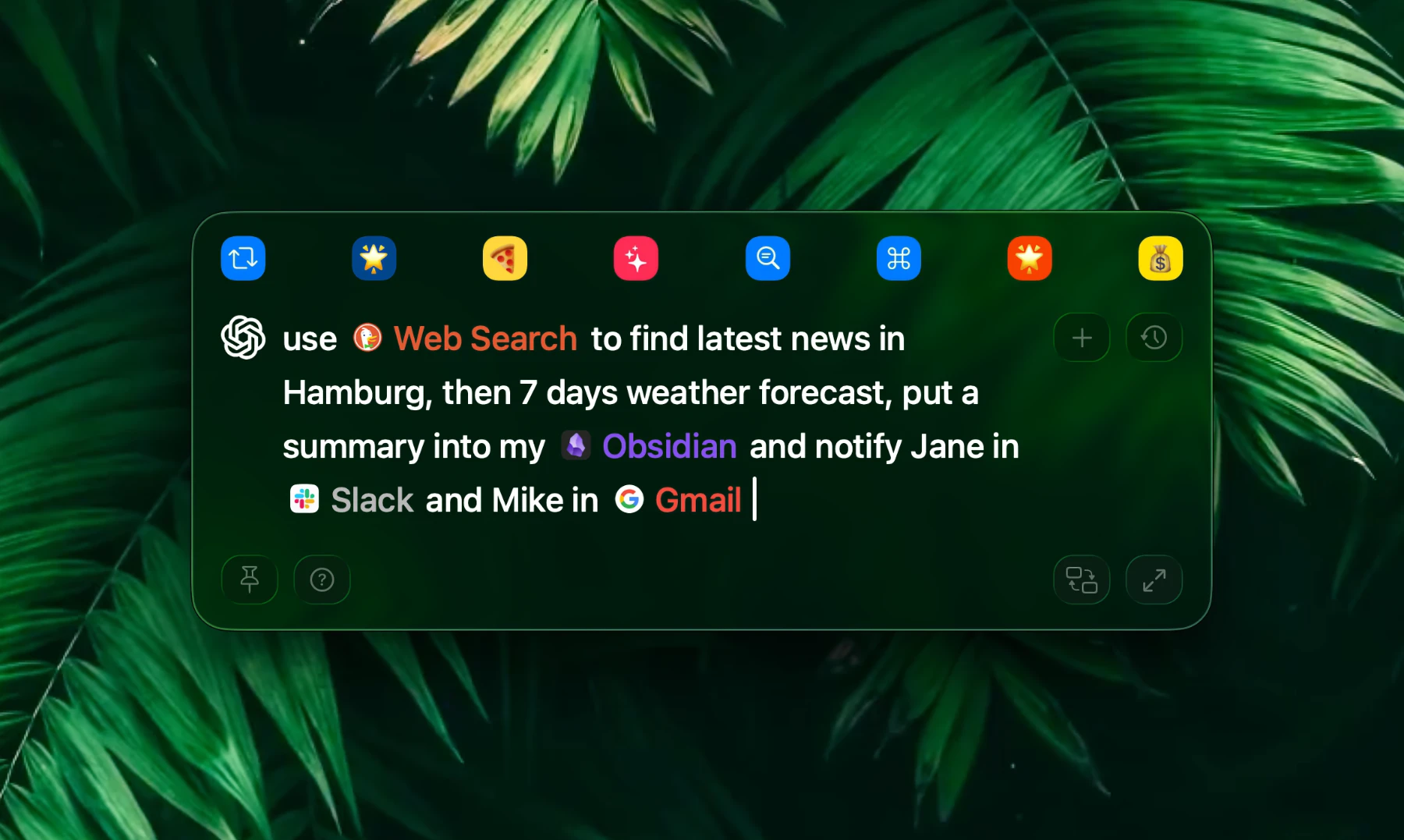
This long-awaited update introduces the new context management workflow, as well as a dedicated Chat UI with conversation history sidebar and better observability of your Scheduled actions. In addition, it's an important stability and improvements release, bringing Fluent further on to the next level of versatility. Many bug fixes, performance improvements and quality-of-life features are included.
Exciting news: Fluent is now an official partner of NanoGPT, a privacy-focused AI gateway with access to 1000 models (600 text-based).
Fluent offers existing users an exclusive 10% discount on all text models, including Opus 4.7 and GPT-5.5, routed through NanoGPT for at least one year.
To claim the offer, navigate to Settings > Models > NanoGPT and follow the Get 10% Discount link in the API key section, ensuring you create an account with NanoGPT for the perk to last.
Features
- New context management workflow. You can literally attach anything to the prompt: actions, files, browser tabs, apps, integrations and tools, variables and memory items. What gets attached and when – becomes subtle and clear, and lets you better control your prompts and data you include. Use @ to pop the suggestions bar with fuzzy search up, and head over to Settings > Context to tweak what's included in the suggestions.
- Dedicated Chat UI. A new persistent chat experience alongside the smart panel — multi-conversation sidebar with search, pinning (up to 10), rename, delete, fork and export, an accessory bar showing model, duration, token counts, tok/s and cost, and full keyboard-driven flow (⌘↩ submit, ⌘A / ⌘R approve/reject tool calls, ⌘W close). On top of that, there is a Scheduled view for better observability of all of your scheduled actions.
🔥 Quickly switch between the Smart Panel and Chat UI viaCMD+Eshortcut. - NanoGPT. New partner integration with custom features like balance and request cost tracking, prices in model cards and an exclusive discount offer for Fluent customers.
- Request metadata. Requests now record useful metadata stored in the same local database where your history is. This data includes: duration of request, time to first token, input and output tokens number, speed and cost (currently for NanoGPT provider only). This metadata is currently visible only in Chat Flow mode of the Smart Panel, or in the new Chat UI under each request.
- Chat Fork. You can now fork your conversations from any point. This feature is available in Chat UI or Chat Flow mode of the Smart Panel currently.
- MCP: custom HTTP headers. Add per-server HTTP headers for HTTP-based MCP servers (auth tokens, API keys, custom routing).
- Frontmost-app context shortcut. ⌘` toggles a context chip for the active app or browser tab, so you can attach what you’re looking at without leaving the keyboard.
- Smart panel: don’t auto-pin on drag. New option that keeps the panel from auto-pinning when you start dragging it.
- Smart panel shortcut re-press. Pressing the smart panel global shortcut while it is pinned now de-focuses the panel and returns focus to the previously active app.
- LaTeX rendering. Inline and block math (
$…$,$$…$$) is now rendered natively in chat and result views.
Improvements
- 🧈-smooth Smart Panel performance. Dramatically improved Smart Panel rendering and animation performance. On top of that, multiple exchange conversations no longer appear sluggish when streaming or scrolling.
- Smart Panel UI. Context selector taking half of Smart Panel's width is now gone. There is a "+" button instead, which holds all of the possible actions, tools many other kinds of stuff you can attach to the prompt.
- Smart panel position in Spotlight mode. Your user-defined initial panel position on open is preserved and no longer drifts when there is any interaction happening thereafter: be it actions submitted or chats opened from history.
- Background & scheduled action sync. Refactored globally so background runs, scheduled tool approvals and their notifications stay in sync with the active session.
- Auto-suggestion boost tracks the external frontmost app, not just Fluent’s own window — suggestions stay relevant to whatever you were doing before opening the panel or chat UI.
- Browser context refresh on chat window focus. When the chat window becomes active, the attached browser tab context is re-read so it never goes stale.
- Smart panel height ceiling. This is currently implemented for Chat Flow mode only for better UX reasons. Automatically caps at half the screen so long responses no longer push the panel off-screen.
Fixes
- Fresh install onboarding. Fixed a regression where no window (and no onboarding) appeared on a clean first launch.
- Tool approvals on saved chats. Previously approved/rejected decisions are restored when re-opening a chat, so you aren’t prompted again.
- Memory leaks fixed across background and scheduled action paths.
- Local models. Gemma 4 (E2B/E4B) tool calling now works, and MLX GPU/memory caches are released on model unload. In addition, MLX library has been upgraded.
- Notification routing. Tapping a finished-tool or scheduled-approval notification opens the chat window when it owns the session, otherwise the Smart Panel panel.
- Clipboard preservation. Fixed clipboard contents being grabbed unexpectedly when using browser/app context.
- Many other smaller bug fixes and improvements.
Compatibility
- Requires macOS 14.2 or later.
This update improves MCP reliability across Calendar, Browser and YouTube, adds new Calendar event fields support, and introduces a new Finder batch move tool.
Features
- Finder MCP:
move_files. Added a new tool for batch file move operations.
Improvements
- Calendar MCP: richer event creation. Added support for URL, repeat interval, all-day events, custom alerts, and location (including precise geo-location).
- Calendar: smarter default query range. General queries without dates/search terms now default to current day → next month for better performance and relevance, while targeted queries keep the wider range (1 year ago → 2 years ahead).
Fixes
- Custom providers. Disabled Use structured JSON by default for newly created custom providers to avoid common setup and runtime issues.
- Browser MCP. Improved
open_urlresponsiveness and correctly handle terminated browser instances. - YouTube MCP. Updated transcript extraction for YouTube’s new DOM and improved transcript/description extraction reliability (now language-agnostic and does not require explicit browser context).
- Calendar MCP:
list_events. Fixed event fetching for corrupted AI tool calls to improve robustness.
Compatibility
- Requires macOS 14.2 or later.
This update adds Gemma 4 models support, Apple Maps integration, and includes multiple important fixes across Actions and UI.
Features
- Gemma 4. Added support for Gemma 4 models, as well as several Gemma 4 models available to download in Models.
- Apple Maps MCP. Welcome the new built-in integration – Apple Maps! Currently supporting searching for places and getting directions.
Improvements
- Calendar MCP. Enhanced the
get_eventtool to support title search. - Local (MLX). Enhanced model download and load flows.
- Default MCP prompt. Slightly improved the default MCP prompt to rein in overly tool-aggressive models.
Fixes
- Actions: integrations/tools filtering. Fixed saving integrations/tools filtering for built-in actions.
- Actions menu. Added a quick Actions menu option to open the main window (temporary workaround for those with menu bar icon disabled).
Compatibility
- Requires macOS 14.2 or later.
This update introduces refreshed Action edit UI, new Prompt Refiner feature, tweaks the tools workflow across MCP and Actions, improves Smart Panel responsiveness, and adds multiple UI polish improvements.
Features
- New Action Window. Refreshed and redesigned Action create/edit window. It now has a sidebar with quick access to your variables, integrations and memory items. You can quickly search through them, drag 'n' drop them straight into the prompt area, and disable specific integrations and/or tools so AI never tries to call them.
- Enhanced Prompt Area. Prompt area now renders your variables, integrations (and tools!), memory items as inline tags. You can freely drag them around, reposition, and add new items from the sidebar (and for power users – you can always type the tags directly, learn tool syntax from the corresponding info icons in the sidebar).
- Prompt Refiner. Use your AI to refine your prompts, or completely think them out from scratch! This seems like a small, but it is actually a very powerful feature, helpful when you struggle or simply don't want to spend time writing prompts. It is fully aware of your variables, integrations and memory – just enter some simple request like "clean my desktop", hit "I'm Feeling Lucky", and receive a thoughtful, clean and structured prompt composed with your environment in mind.
Improvements
- Integration & Tool Filtering in Actions: You can now enable or disable specific integrations and tools for use in certain actions, helping AI filter noise more effectively.
- Finder MCP. Enforced absolute file paths and improved tool descriptions. All tools now automatically resolve absolute paths for less ambiguity to AI.
- OpenRouter. Free and Paid models in menus are now divided, with Free models showing on top by default.
- Tool Descriptions. Tools listed in Integrations settings now have an info icon that displays full tool descriptions, including available parameters.
- Action Icon Color. You can now adjust the secondary "tone" parameter in addition to the base color, allowing you to assign more pleasant-looking colors.
Changes
- Integration & Tools Internal Naming. Made built-in integrations and tools naming consistent. MCP servers itself use consistent postfixes, e.g.
finder_mcp, whilst tools use namespaced naming, e.g.finder_mcp_create_dir. Some integrations previously had inconsistent namespacing (e.g. YouTube) – fixed now. This change aims to improve LLM precision. - Browser Automation. This integration is now renamed to just Browser.
- Spotlight Expansion. When Smart Panel is in Spotlight mode, it now also expands upwards if the streamed contents can no longer fit downwards.
- Tools Sorting. Tools are now sorted alphabetically everywhere their lists appear (Integrations settings, Action edit window).
Fixes
- Leak. Fixed memory leak that occured upon saving actions.
- Action Sorting. Edited default (built-in) actions are now also sorted on top of the rest.
- Tool Explanations. Fixed tool call explanations persisting and accumulating during streaming AI request with tool calls. They are now correctly replaced and/or cleaned.
Compatibility
- Requires macOS 14.2 or later.
This minor update fixes Slack clipboard formatting and local (MLX) model reliability (Qwen3.5 in particular).
Improvements
- Local (MLX). Updated MLX dependencies and improved Qwen (especially local MLX) compatibility, with more consistent & reliable tool usage.
- Qwen3.5 models now do not depend on "Use structured JSON" option. Moreover, thinking is fixed, and is now working across both local and cloud variants as expected.
- Smart Panel: smoother model switching. Added refined animations when switching models for a more fluid experience.
Fixes
- Slack formatting. Slack contents are now properly sanitized and formatted after selection (legacy HTML removed).
Compatibility
- Requires macOS 14.2 or later.
Finally, Fluent 1.8 is here! Parallel and background running actions, menu bar supercharging, deep URLs and Applets, Chat UI mode, UX polish, notification sounds, and tons of other improvements.
This is quite an update. It took a while, since every single feature had to be refined and adapted to maintain Fluent's spirit ✨. We're finally pleased with how smooth and natural everything runs, and excited to share this update with you!
Features
- Parallel & Background actions. Actions can now run in the background and in parallel, including across multiple tabs and follow-up tabs simultaneously, even while the Smart Panel is open.
⚠️ To run actions with the Smart Panel closed, enable "Keep actions running in background" in Settings → Smart Panel → Actions. - Deep URLs & Applets. Fluent now supports a URL scheme (fluent://) for deep linking (see Help for full documentation). Actions are also now Applets — drag any action to your Dock or anywhere on your Mac and launch it directly.
- Chat UI (beta). A big one, a handy one. And pretty much expected one. This is a beta feature, consider it as an early preview, as there's definitely coming more with this option.
- Menu bar. Supercharged menu bar by adding a new status indicator for background and scheduled running and completed actions. In addition, menu bar menu now shows today's scheduled actions which you can run manually, and all your currently running and finished actions.
- "Show as Finished in Menu Bar" Option. A new per-action option (enabled by default) that highlights completed scheduled actions in the menu bar icon and menu, so you never miss them. Disable it for frequent or low-priority actions.
⚠️ Existing scheduled actions will start showing in the menu bar upon completion. Review your scheduled actions if needed. - Keep tabs open on hide. New option under Smart Panel > Various settings. This option will keep all your tabs when closing or hiding Smart Panel, so they are all there next time you call it.
- Favorite actions alignment. New option under Smart Panel > Visual Features. Lets you tweak the alignment of the favorite action buttons in the Smart Panel.
- Notification sound. When triggering macOS notifications, actions will now use Fluent's built-in sound. You can customize it in the Action edit window. Try putting the Universal's opening for the evening briefing action – it's a blast!
- Smart Panel: approve/reject tool calls via keyboard. Added
CMD+A/CMD+Rto approve or reject tool calls while they are live.
Improvements
- "New" tags near new options. Both in the Action edit window and in Settings. Since new options are added from time to time, with this tag it will be easier to navigate what's new.
- Richer action cards. Now display the model icon/name (if a custom model is set) and schedule info for scheduled actions (e.g. Daily at 17:00).
- Enhanced action card context menu. New options: Run, Run in Background, and Duplicate.
- Action copy ID. Added a Copy ID context menu item – useful for deep URLs.
- Tab cycling. Use CTRL+TAB / CTRL+SHIFT+TAB to cycle forward/backward through all tabs, including follow-up tabs.
- Cleaner launch. Dock icon and Actions window no longer appear on startup.
- Smarter app context. Fluent windows are excluded as app context for the Smart Panel; the topmost app is used instead.
- UI & UX polish. Improved Actions/Settings window management, action card drag-and-rearrange into Smart Panel Favorites, and faster model menu opening. Adjusted tool badge design, tab design and improved overall interaction with the Smart Panel.
Changes
- CMD+1–8 now cycles through parent tabs (previously follow-up tabs).
Removals
- ⚠️ Verbose mode. Removed the Verbose tool workflow option.
Compatibility
- Requires macOS 14.2 or later.
This update improves Smart Panel copy/insert behavior in Markdown editors, and adds image context menu actions.
Improvements
- Generated images. Images generated in Fluent (e.g. with Nano Banana) now include a context menu with Copy, Save and Show in Finder options.
Fixes
- Smart Panel copy/insert (Markdown). Preserved raw Markdown in plain text when copying, improving compatibility with Markdown editors (e.g. Ulysses).
- Smart Panel: text selection as attachment. Prevented duplicate selected text from being sent when Show text selection as attachment is enabled.
Compatibility
- Requires macOS 14.2 or later.
This update greatly improves Smart Panel performance and responsiveness and brings several fixes.
Improvements
- Smart Panel performance. Hugely improved streaming and grammar highlighting performance, with overall smoother Smart Panel handling and UI responsiveness (more subtle and fluid behavior).
- Local (MLX): Qwen3.5 models. Minor performance improvements for Qwen3.5 MLX models.
Fixes
- OpenRouter. Fixed an issue where the OpenRouter model list could load empty after a Mac restart.
- OpenRouter. Fixed an issue with equal model naming in custom providers and OpenRouter leading to Action misconfiguration.
Compatibility
- Requires macOS 14.2 or later.
This update adds native support for the latest Qwen3.5 local (MLX) models, and fixes a critical Smart Panel resizing issue when restoring items from History.
Features
- Local (MLX): native support for latest Qwen3.5 models. Qwen3.5 models are now supported out of the box via MLX.
Fixes
- Smart Panel. Fixed a random issue where the Smart Panel wouldn’t update its height when restoring an entry from History.
Compatibility
- Requires macOS 14.2 or later.
This update improves Smart Panel attachments and model filtering, adds automatic Finder selection attachments, and includes multiple provider reliability fixes.
Features
- Smart Panel: attach selected Finder files automatically. New option under Settings > Smart Panel > Various > Attach selected files automatically.
- PDF attachments: ultra-fast text extraction for AI processing. PDFs are now processed by extracting text instead of converting pages to images.
Improvements
- Smart Panel model search bar. Models are now filtered by provider availability, so models from providers you haven’t set up are not shown.
- MCP tools. Increased maximum iterations to 1000 for all providers.
Fixes
- OpenAI provider attachments. Fixed attachments being broken after the move to the Responses API in the previous (1.7.19) release.
- Smart Panel attachments. Prevented duplicate image attachment sending.
- Custom providers:
/modelsendpoint compatibility. Further relaxed requirements for certain fields to improve parsing and reduce setup errors. - Anthropic grammar corrections. Stabilized output parsing to prevent raw JSON from appearing in results.
Compatibility
- Requires macOS 14.2 or later.
This update expands advanced model configuration and includes multiple reliability fixes for custom providers and integrations.
Features
- Advanced per-provider and per-model parameters. You can now configure structured JSON, streaming, tools usage, temperature, and reasoning effort. When reasoning is enabled, thinking process is now visible in the Smart Panel for all supported models.
- Advanced settings. Renamed Features to Advanced, and added customization of the System and MCP prompts (change those only if you know what you’re doing).
Improvements
- Actions: expanded icon & emoji selection. Added more icons & emojis.
Fixes
- OpenRouter & custom providers. Fixed a bug that could force Fluent to use an OpenRouter model with the same name as a custom provider model.
- Anthropic. Fixed progressive MCP discovery flow.
- Custom provider model list parsing. Improved parsing to accept unexpected attributes from `/models` endpoint.
- MCP tasks. Correctly handle child process termination in MCP-related tasks (Finder, Shell).
- External integrations. Fixed argument parsing so file paths with whitespace are escaped automatically.
Compatibility
- Requires macOS 14.2 or later.
This update includes multiple reliability and performance fixes across streaming, attachments, Calendar, MCP, and local (MLX) models.
Features
- Shortcut recording expanded. You can now record modifier-only combinations (e.g.
CTRL+OPT), improving compatibility with apps that require modifier mappings (e.g. Superkey withCTRL+OPT+CMD).
Improvements
- Apple Intelligence. Simplified the Apple Intelligence prompt for better performance.
- Calendar integration. Improved performance and reliability.
- Local (MLX) models & MCP. Reduced memory usage, enabled Progressive MCP discovery for local (MLX) models, and filtered out
<thinking>tags from output. - Models infrastructure. Some provider model lists now load from Fluent’s own servers instead of Firestore.
Fixes
- Apple Intelligence. Fixed a freeze when enabling/disabling Apple Intelligence system-wide, and added a warning on the Apple Intelligence model card when it’s disabled in macOS settings.
- Attachments. Fixed a bug where non-image file attachments were not being attached in follow-up tabs.
- MCP. Hardened built-in integrations tool schemas for better model performance.
Compatibility
- Requires macOS 14.2 or later.
This is a hot-fix releases that is highly recommended to upgrade.
Hot-fix
- Build & signing. Preserved entitlements when code signing to ensure Fluent asks for necessary permissions, e.g. Browser, Calendar, Reminders, etc.
Compatibility
- Requires macOS 14.2 or later.
This update includes an additional fix for Google MCP, improving stability and reliability of the tools workflow.
Fixes
- Google MCP. Additional fixes to stabilize the tools workflow.
Compatibility
- Requires macOS 14.2 or later.
This is a hot-fix update, fixing Google MCP discovery flow and a freeze at initial Fluent launch on some systems.
Fixes
- Google. Fixed the MCP flow for the built-in Google provider.
- Initial launch freeze. Resolved a freeze issue that occurred at initial Fluent launch on some systems.
Compatibility
- Requires macOS 14.2 or later.
This update adds a new context option for using selected text only and a few important bug fixes.
Features
- Context: selected text only. Added an option to use selected text only in context, regardless of automatic context attachment.
Improvements
- About window. Refined About window buttons and added a Reddit link.
Fixes
- Smart Panel focus. Fixed auto-focus on the prompt field not working when macOS Keyboard navigation is enabled.
- Context switching shortcut. Fixed
CMD+`not working when automatic context attachment is enabled.
Compatibility
- Requires macOS 14.2 or later.
This update adds Favorites for models, expands Smart Panel keyboard shortcuts and functions, and improves local (MLX) model management with better downloads, progress, and performance.
Features
- Favorite models. Fluent now supports a Favorites list for models: add any model to Favorites in Model settings, select from Favorites, and cycle through Favorites in the Smart Panel with
TAB/SHIFT+TAB. - Smart Panel: text selection as attachment. New option under Settings > Smart Panel > Various > Show text selection as attachment.
- Smart Panel: faster context switching. Added
CMD+`to quickly toggle context selections (active browser tab or app). - Tabs: regenerate. Added regenerate via tab context menu and
CMD+R. - Tabs: new shortcuts and actions. Added
CMD+T/CMD+Wto create/close tabs; the Smart Panel can now be closed withCMD+Wwhen no tabs are left. - Follow-up tabs navigation. Added
CTRL+1..9shortcut to cycle through follow-up tabs. - API keys: delete option. You can now delete an AI provider API key via a delete button inside the API key input field (next to the reveal icon).
Improvements
- Smart Panel shortcuts help. Reorganized and expanded the keyboard shortcuts info popover in the Smart Panel.
- RTF to Markdown conversion. Direct RTF-to-Markdown conversion for better formatting when working with rich-text apps (Notes, Pages, Mail, etc.).
- Local (MLX) models. Improved download progress tracking and search, fixed double downloads for some models, and improved model load/unload performance.
- Menu bar: local models refresh. Global model picker now refreshes local (MLX) models immediately when they are loaded or unloaded.
- Local AI: improved downloads. Enhanced MLX model downloads with progress details and cancellation.
- Maintenance. Removed unused code.
Fixes
- Keyboard shortcuts. Added
fnkey support for shortcuts, and improved hotkey handling to fix a rare issue where Fluent could stop reacting to hotkeys. - Tabs. Improved tab switching when closing tabs.
- Attachments. Fixed an issue where attachments sometimes didn’t appear until the AI request started executing.
- Word. Fixed inability to catch selection in Microsoft Word.
- Custom providers. Fixed Optional API key incorrectly showing as enabled even when disabled.
- Actions window. Fixed Favorite Actions background in dark mode.
Compatibility
- Requires macOS 14.2 or later.
This update refines onboarding, adds a dedicated Smart Panel shortcuts help button, and includes important fixes for scrolling and Google API key validation.
Features
- Smart Panel: shortcuts help button. Added a Help button that shows all Smart Panel shortcuts; it can be hidden under Settings > Smart Panel > Various.
Improvements
- Onboarding. Enhanced onboarding UI for a smoother first-run experience.
Fixes
- Web Search links view. Prevented scroll event propagation for more predictable scrolling behavior.
- Google API key validation. Aligned validation logic with other providers to fix a bug that prevented key validation on some systems.
Compatibility
- Requires macOS 14.2 or later.
This update brings a new Web Fetch integration, improved (even more) Web Research, plus major reliability improvements for progressive MCP discovery.
Features
- Smart Panel: expandable Web Search results. There is now a list of clickable links that were fetched from the Web Search call.
- New built-in Integration: Web Fetch. Retrieve and pass URL(s) content to the model via a dedicated helper integration.
Improvements
- Progressive MCP discovery. Enhanced discovery with multi-tool execution and clearer guidance for sequential tool usage. If you earlier had tasks that lower models (e.g. GPT 4.1-mini) couldn't handle, try them now.
- Web Search integration tuning. Tweaked integration parameters for better research results, and removed the legacy
fetch_urltool (now available via the new Web Fetch integration). - Reminders integration. Improved tool descriptions and date handling to make Reminders MCP less ambiguous and more focused for LLM usage.
- API key validation. Improved validation error handling and user feedback.
Fixes
- Progressive MCP discovery consistency. Fixed a bug in the new discovery design that could lead to loss of server knowledge in complex prompts; behavior is now consistent and predictable.
Compatibility
- Requires macOS 14.2 or later.
This release introduces a hot-fix for the 1.7.9, which adresses DeepSeek/Kimi models issues with progressive MCP discovery.
Compatibility
- Requires macOS 14.2 or later.
This is an exciting release for MCP followers. It's also a rare build performed mainly on Sequoia to ensure Sequoia users experience Fluent as similar as on the latest Tahoe.
Features
- Progressive MCP discovery. Now Fluent saves your tokens when working with integrations. You can absolutely safely enable as many integrations and tools as you want, because now AI discovers servers and tools step-by-step, only when they're needed. In addition, this makes MCP workflows more predictable, and more consistent on lower-end models due to smaller, fine-grained context each step.
- Before: with all 10 built-in integrations and their tools (60+) enabled, Fluent spent 5k+ tokens each request.
- Now: 400-500 on average.
- Latency introduced with initial discovery is almost non-noticeable, due to context size reduction.
- Web Search complete refactor. Introducing the new Research tool, which brings the same level of deep research most LLM providers offer. Both Search and Research tools now support parallel execution, which speeds up the whole process dramatically. Moreover, this integration now balances between 4 search providers: DuckDuckGo, Brave, Bing and Mojeek, to ensure stable experience. Personally, searching with Fluent has become a pleasure for me – quick yet deep, and answers my questions precisely.
- Added initial delay setting for custom tools. Mainly useful for Browser Automation integration, but you might find use cases for it in the others.
Improvements
- Memory integration now includes three search tools: Search (generic search for groups and notes), Search Group (across groups) and Search Note (across items). This allows for more precise and targeted searches.
- Browser Automation integration now works only with the browser specified in its "Default browser" option. Also, tool badges now show the correct browser used. Slight improvements in the tools performance.
- Smart Panel now resizes automatically when you click the executed tools group badge.
- Minor UI polish around tool badges and groups in the Smart Panel.
Fixes
- Fixed slightly off Smart Panel border and shadow on Sequoia.
Compatibility
- Requires macOS 14.2 or later.
This stability release continues improvements around local MLX models and brings major improvements and fixes. Recommended to upgrade.
Features
- Local MLX models now fully support MCP (Integrations). Please keep in mind that, for a relatively predictable tool-related workflow, at least a 7B model is required (which will only suffice for very basic tasks).
Improvements
- Complete refactor of the internal prompt and content parsing, leading to a 90% token reduction, stable content parsing and almost zero internal prompt. One of Fluent’s core features initially was and stays persisting the selected text formatting, which most apps on the market do not support. However, it came with a trade-off. Now Fluent uses a completely different algorithm, and far simpler prompts, while delivering even better results, faster and cheaper. Note: this is not connected to MCP token efficiency, which is next on the roadmap.
- As a result of the above-mentioned improvement, local MLX model glitches have been eliminated, and MLX models now work at full power. This is actually an important step for Fluent's upcoming features.
- Greatly improved text selection parsing in any app. Previously, there were problems with complex table structures in mail clients (e.g., Gmail) – now resolved.
- Improved API key setup error verbosity in Models settings.
- Refined default actions prompts. They will only be updated for actions that you didn't modify.
Fixes
- Fixed request cancellation for local (MLX) models.
- Fixed incomplete object parsing for some of the external MCP tools, which led to the LLM's inability to use the tool correctly.
- Fixed links in the Smart Panel not opening the target URL.
- Fixed "thinking is enabled but reasoning_content is missing" on some reasoning models, specifically DeepSeek and Kimi-K2.
- Fixed rare crash on grammar correction highlighting.
- Fixed missing History and "Save as ..." icons on Sonoma.
Other
- Remove unused and deprecated code, so Fluent executable is more compact now.
Compatibility
- Requires macOS 14.2 or later.
This update is focused on MLX models refresh, stability improvements and bug fixes.
Improvements
- Redesigned Models settings – now with refined & universal model card design, and tags and capabilities displayed for each model.
- Local MLX models support has been refactored for better performance and stability. In addition, Fluent now supports way more MLX models, such as GPT OSS, Gemma 3, Nemotron, Olmo 3 and more. New models will appear in Fluent within several few days. However, you can always add them manually.
- MLX model loading is now more streamlined. It is mandatory to first load MLX model in Settings in order to use it later. After restart all models will load automatically. The behavior is similar to LM Studio and prevents unexpected crashes or glitches.
- Loaded models appear in the menu bar as well.
- Custom icons for custom providers. You can now assign a custom icon (PNG or SVG) to any custom provider.
Fixes
- Fixed inability to click "Copy" or tool badges in the Smart Panel result (bug introduced in previous version).
- Fixed Kimi-K2.5 temperature. It's set to 1.0, until advanced per-model configuration is implemented.
- Fixed incorrect "Toggle Smart Panel" hotkey in the menu bar.
Compatibility
- Requires macOS 14.2 or later.
This release brings almost a dozen of improvements and stability fixes.
Features
- Model selection in the Smart Panel. Enter # and start typing the model name for a quick switch. Fuzzysearch, just like with actions and memory.
Improvements
- Polished model/action/memory selection UI in the Smart Panel.
- Models in the menu bar picker are now grouped by provider, making it easier to navigate.
- Extended selection support in the Smart Panel. You can finally select altogether arbitrary amount and content, including tables and code blocks.
- OpenRouter and custom provider errors are now fully parsed and rendered in a nice manner. No more ambiguity – you will know exactly what's wrong.
- Code blocks rendering has been completely revamped and now works as smooth as normal paragraph rendering. Fully native implementation without any dependencies. In addition, a micro improvement: code blocks without language detected now have "text" as label.
Fixes
- Fixed a bug leading to "No text selected" error when executing an action on the text that is also present in the Clipboard.
- Fixed a bug leading to incorrect behaviour and errors with some models in OpenRouter (e.g. 404), specifically, low-context ones.
- Fixed a freeze/crash that occured using app context in apps with enormous Accessibility tree (e.g. Outlook).
- Fixed incorrect custom provider configuration after restart (happened with providers with very custom endpoints, e.g. `paas/v4`).
- Fixed "No text selected" error when invoking actions with an open Smart Panel in some apps (e.g. Claude Desktop).
Compatibility
- Requires macOS 14.2 or later.
This update includes one improvement and a fix.
Improvements
- You can now disable Smart Panel snap points under Settings > Smart Panel > Various.
Fixes
- Fixed a regression where Smart Panel did not resize properly in follow-up tabs.
Compatibility
- Requires macOS 14.2 or later.
This update includes stability improvements and bug fixes.
Improvements
- Small UI polish of the action bar in the Smart Panel.
- Increased Memory data fetch limits, leading to a better AI awareness.
- Actions with Auto Insert enabled now do their best to insert the result without AI noise, if tools were used.
Fixes
- Fixed incorrect padding in the Memory settings scroll view.
Compatibility
- Requires macOS 14.2 or later.
This update includes stability improvements and bug fixes.
Features
- Liquid glass. It's now enabled by default on Tahoe. No worries: if you don't like it, just disable it in Settings > Smart Panel Appearance.
Improvements
- Added "Integrations" and "Memory" items to menu bar context menu.
- Shell integration revamped: images compression tool is now more efficient and less resource-intensive. Additionally, two new tools added: resize images and compress videos.
Fixes
- If you chose "System" as your Fluent or Smart Panel theme, it will now respect your system's settings, be it auto, light or dark.
Compatibility
- Requires macOS 14.2 or later.
This is a post-release to 1.7.1, which brings a hot-fix and a new option for the Smart Panel.
Features
- If you don't like streaming animation, or experience a performance bottleneck, you can disable streaming animation completely under the Smart Panel > Visual Features > Streaming animation.
Fixes
- Fixed action Grammar mode not activating correctly. In addition, you can now use phrases like "fix grammar/fix spelling" in custom prompts – and it will trigger grammar highlights display.
Compatibility
- Requires macOS 14.2 or later.
This release continues a series of stability fixes and improvements.
Features
- New “Grammar mode” for actions to show differences between the selected and resulting texts.
- PopClip integration. Install the extension snippet from Settings > Features > PopClip and access the Smart Panel or any favorite action from PopClip.
- Perplexity integration finally landed. It will improve over time with citations and sources rendered (this is also planned for the native Web Search integration).
Improvements
- Improved OpenRouter and Custom Providers model compatibility, reducing errors and empty or corrupted results.
- Added shortcut hints to selected buttons in the Smart Panel.
- Refined default approval states for built-in integration tools.
Fixes
- Fixed a bug that prevented correct insert or copy from subsequently opened history entries.
- Fixed random incorrect ordering of tool calls in grouped badges.
- Fixed a bug that sometimes prevented Fluent from gathering browser tab context when using actions with Auto Insert enabled.
- Fixed a bug that prevented custom provider settings from persisting in some cases.
Compatibility
- Requires macOS 14.2 or later.
This release adds a major new feature, Memory (RAG), as well as multiple stability fixes and improvements.
Features
-
Memory (RAG), dynamic by default. Fluent automatically uses relevant memories in your requests when needed.
Enable Memory via Integrations > Memory, then create memory groups, add files, and use dynamic notes.
Keep memory groups lean and domain-focused, for example:
- Create a
MyProfilegroup for your personal details. - Create a
MyStylegroup for examples of your general writing. - Create a
MySlackMessagesgroup for examples of your professional communication.
- Create a
- Force AI to use specific Memory groups directly in the Smart Panel by typing
@and a group name (partial names work). - Use Memory groups in custom actions as variables with the format
{{ @Name }}. - Search all actions by typing
/in the Smart Panel.
Improvements
- Integration tools workflow is now Concise by default. You can switch it to Verbose in Settings > Smart Panel > Streaming. In Concise mode, all tool calls are grouped into one top badge, and AI thinking is continuously refreshed until the final result.
- Execute favorite actions with
CMD+1..8when the Smart Panel is open. - Image creation and editing with Nano Banana Pro via native Google integration.
- Actions with Auto insert enabled now show loading indicators with the action icon and title.
- New Smart Panel shortcuts:
CMD+ENTERto insert the result into the active app, andCMD+Cto copy it (when nothing is selected in the Smart Panel). - More file formats are now supported in attachments, in particular: doc(x), xls(x), rtf, odt, webarchive, html, txt, md and all plain-text files.
- Scheduled action notifications now include “Completed” or “Failed” status in the notification title.
- Significantly improved real-time grammar correction rendering performance.
Fixes
- Fixed a Tahoe 26.2 bug that caused the Global Model menu (menu bar) to disappear when hovering over models in the list.
- Fixed a rare crash when changing app context using the Smart Panel menu.
- Fixed an OpenRouter issue that caused empty or error responses on specific models.
- Fixed an MCP tools issue that caused some models to return an error when using certain integrations.
Removals
- Removed the “Inside prompt area” option for favorites position due to inconsistent UX. Favorites now use the single default top position. Future updates may add an option to place favorites under the prompt field based on user feedback.
Compatibility
- Requires macOS 14.2 or later.