
External Integrations
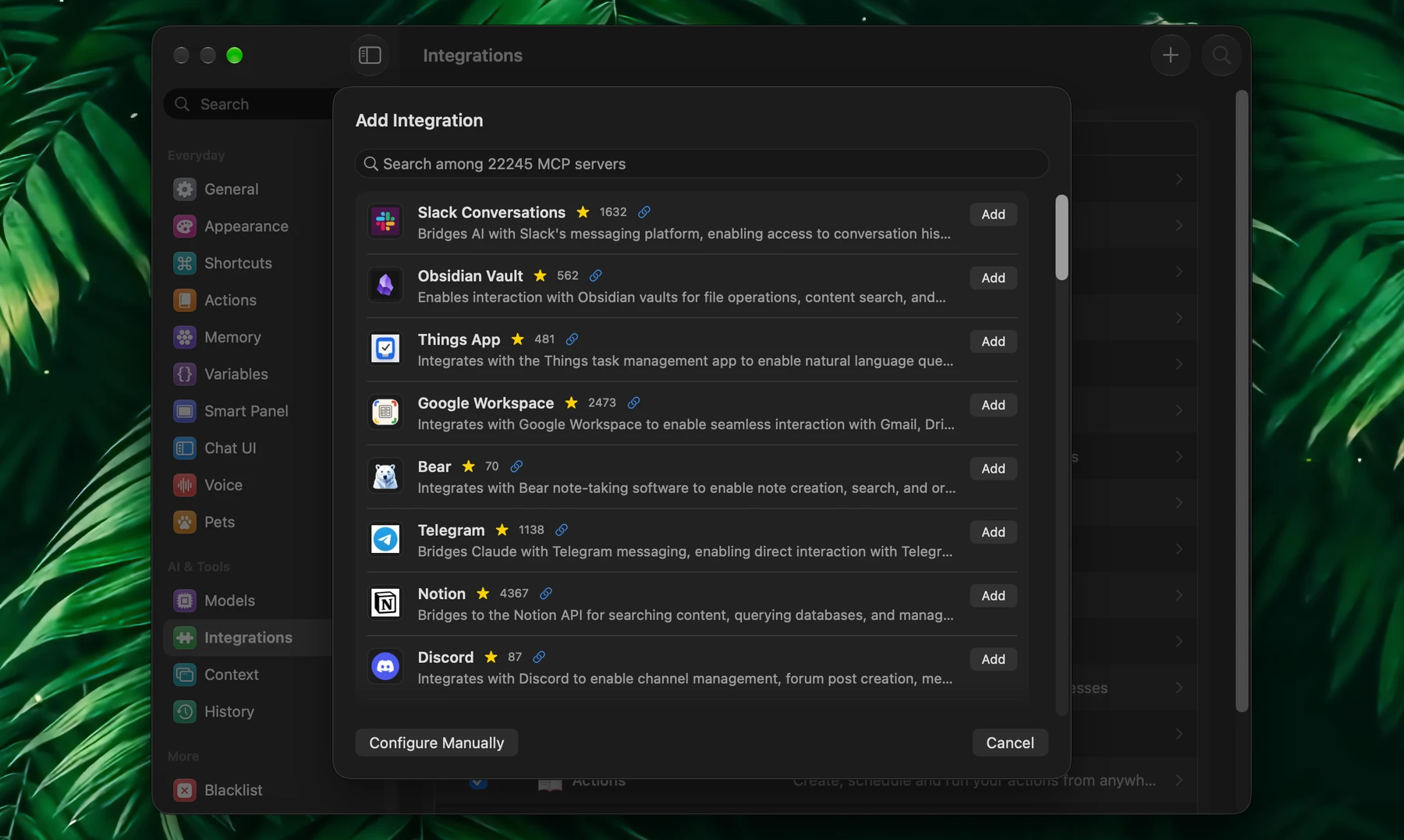
External integrations connect Fluent to other apps and services through their MCP servers: Notion, Linear, Jira, GitHub, Stripe and many more. Ask Fluent to connect one in a chat, pick one from the directory, or set one up by hand.
Ask Fluent
The quickest way: say "connect my Notion", "connect Linear" or "I want to connect Reddit". The built-in Fluent integration takes it from there.
| You connect | What happens |
|---|---|
| A service with its own MCP server, such as Notion, Linear, Atlassian (Jira and Confluence), Asana, Stripe or Zapier | Fluent connects to it, opens your browser if the service asks you to sign in, tests the connection and adds it |
| GitHub | A field for a personal access token appears under the reply, with a link to where you make one |
| Anything else | Fluent looks in its directory and on the web for the best server, preferring the service's own. If the server needs a key, a field for it appears under the reply. If one server doesn't work, Fluent tries the next. |
Two safeguards:
- A server Fluent found on the web, rather than in its directory, shows under the reply exactly as it will run on your Mac, or with the address it connects to. It connects only when you click Connect.
- Fluent starts programs only through package runners (npx, uvx, bunx, pnpx or pipx), never a shell or any other program.
Keys and tokens you paste go to the Keychain; no model sees them. The new integration's tools that change things ask before each use, until you say otherwise.
Directory
Open Settings → Integrations and click + (Add Integration) in the toolbar. Search the directory of more than 20,000 MCP servers; each card shows the server's description, its GitHub stars and a link to its page.
Click Add to open the server in the editor with its setup filled in: the command and arguments of a local server, or the address and headers of a remote one. Then fill in what's left, usually a key under Environment Variables or HTTP Headers. Instructions opens the server's page with its setup notes.
Manual Setup
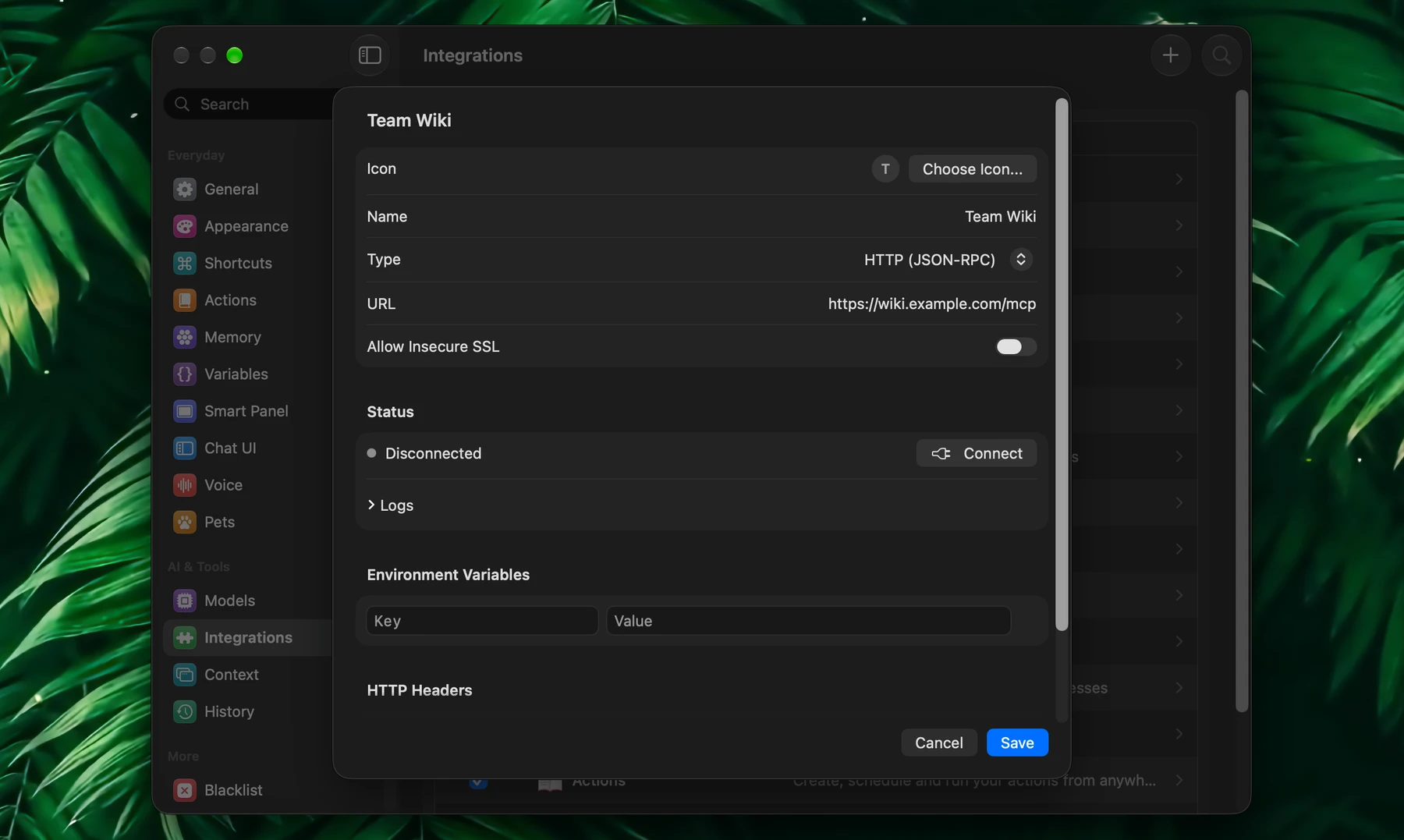
Click Add Integration, then Configure Manually. Give the integration a Name (and an icon if you like), then choose its Type:
| Type | Use it for | Fill in |
|---|---|---|
| Stdio (Local Process) | A server that runs on your Mac | Command, such as npx or uvx, and Arguments |
| HTTP (JSON-RPC) | A remote server | URL |
| SSE (Server-Sent Events) | An older kind of remote server | URL |
| OpenAPI (Experimental) | A web API with an OpenAPI description; each of its operations becomes a tool | URL |
Put keys and settings under Environment Variables, or for a remote server under HTTP Headers, for example Authorization with Bearer <your token>. Fluent keeps their values in the Keychain.
Turn on Allow Insecure SSL only for a trusted local or internal server with a self-signed certificate.
A name can't be one a built-in or another integration already uses.
Sign In
Many remote servers ask you to sign in with your account instead of a key. When one does, its status reads Sign-in required: click Sign In and finish in your browser. Fluent keeps the sign-in in the Keychain and renews it on its own. Sign Out forgets it, and a new address needs a new sign-in.
Status And Tools
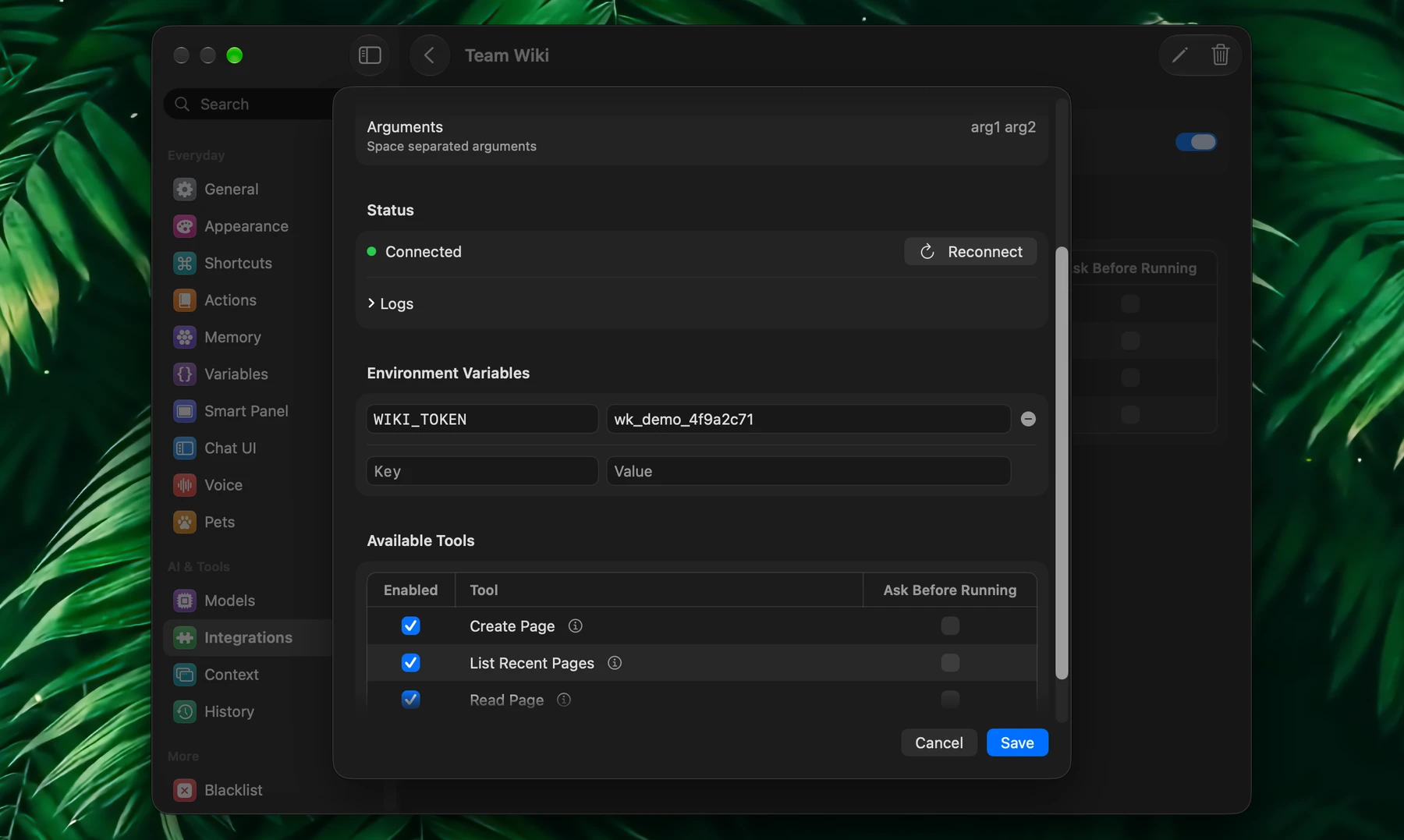
To open the editor of an integration you added, click it in Settings → Integrations, then the pencil (Edit…) in its page's toolbar, or right-click it and choose Edit…. The editor's Status shows whether the server is Connected, Connecting, Failed or Disconnected, with Connect or Reconnect, the last error, and Logs. You can connect and see the tools before you save.
Once connected, Available Tools lists what the server offers. Turn off tools you don't want, and tick Ask Before Running for the ones Fluent should ask about first. Tools of an integration you add here run without asking until you tick it, so review the ones that send, change or delete things.
To turn an integration off, uncheck it in the list. To remove it, right-click it and choose Delete…, or click the trash in its page's toolbar; its saved keys and sign-in go with it. Renaming an integration keeps its tool settings, and actions that use it follow the new name.
Local Servers
Local servers run on your Mac. Fluent starts the ones that are on and stops them when it quits.
Most are launched with npx (Node.js) or uvx (Python). If one of those isn't installed, the editor says so and offers Install Node.js & npx or Install uv. Servers launched through another runtime, such as docker, need it installed and running.
Most local servers that fail to start have a wrong command or arguments, a missing environment variable or a missing runtime. The Logs usually say which.
When To Use Them
Use an external integration when a task depends on another app or service. If a built-in integration already covers it (files, calendar, reminders, notes, the web), use that: it needs no setup and is easier to troubleshoot.